Preview







Description
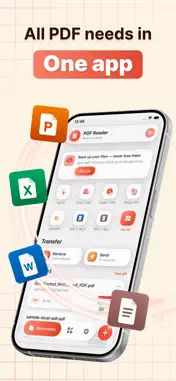
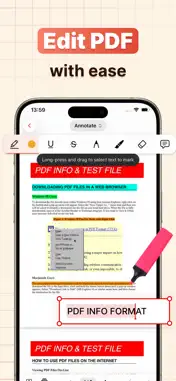
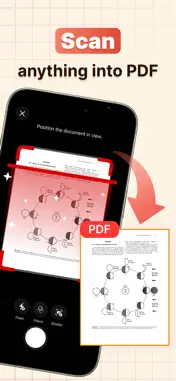
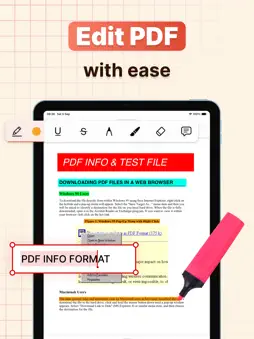
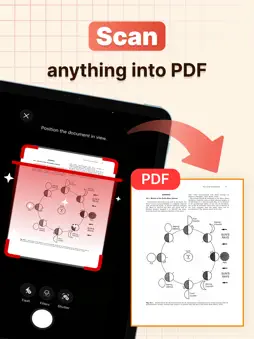
PDF Tools – Edit & Convert gives you everything you need to edit, convert, scan, sign, annotate, and manage PDF documents in one convenient app. Whether you need to make quick changes to a document, convert images into PDF files, sign forms, highlight important content, transfer files, or ask AI questions about a PDF, PDF Tools helps you get it done quickly and easily. EDIT & ANNOTATE PDF FILES Make changes to your documents with practical editing and annotation tools. • Add text to PDF documents • Highlight important information • Underline and mark up content • Add notes and comments • Draw directly on PDF pages • Insert shapes and text boxes • Customize your annotations SIGN & FILL DOCUMENTS Complete paperwork directly on your device without printing. Create your signature, add it to PDF documents, fill in text fields, select checkboxes, and complete forms in just a few steps. SCAN DOCUMENTS TO PDF Turn your device into a portable document scanner. Capture receipts, notes, forms, contracts, or other documents and save them as PDF files. Document detection and image enhancement help create cleaner, easier-to-read scans. CONVERT FILES TO PDF Quickly convert images and scanned pages into PDF documents. Create PDFs from photos, combine document images, and keep your files in a convenient format for saving or sharing. ASK AI ABOUT YOUR PDF Understand documents more easily with AI-powered PDF assistance. Ask questions about the content of your PDF, get quick answers, summarize important information, and find key details without reading every page. TRANSFER FILES VIA WI-FI Send and receive files conveniently over the same Wi-Fi network. Transfer PDF documents and other supported files between your device and a computer without cables. Keep your documents accessible and manage file transfers directly within the app. ADD WATERMARKS TO PDF Protect and personalize your documents with custom watermarks. Add text or image watermarks to PDF pages, adjust their appearance and position, and apply them to your documents for branding, identification, or added protection. USEFUL PDF TOOLS Access essential tools designed to make working with PDFs easier. • Split large PDF files • Convert images to PDF • Scan documents to PDF • Edit and annotate PDFs • Add text and notes • Fill and sign documents • Add custom watermarks • Ask AI questions about PDFs • Transfer files via Wi-Fi • Organize and manage files • Save documents directly on your device ALL YOUR PDF TOOLS IN ONE PLACE No need to switch between multiple apps. PDF Tools – Edit & Convert brings together the essential features you need for everyday PDF editing, conversion, scanning, signing, AI assistance, file transfer, and document management. From quick edits and document conversion to AI-powered questions and Wi-Fi file sharing, PDF Tools helps you work with your files simply and efficiently. Privacy Policy: https://dongcuong.netlify.app/policy Terms of Use: https://dongcuong.netlify.app/terms Download PDF Tools – Edit & Convert today and take full control of your documents.
What's New
Version 2.3 2026-09-09
- fix some issues Technical Analysis
Package Overview Basic metadata
Bundle ID
com.editpdf.scandocument.pdfreader Current Version 2.3
Minimum iOS 16.0
Package Size App Store Size
Package Metadata 1 / 4 version records
Detailed binary, privacy manifest, framework, and Info.plist results have not been indexed for this package yet. The verified App Store and archive metadata above remains available.
Developer Information
Known Version Records
1 version record with stored package metadata • 4 known version records
Stored metadata does not guarantee a package is currently available to download.
| Details | Version / IDs | Version date | Action |
|---|---|---|---|
| 60.66 MB | v1.8 App Store ID: 887037693Build: 1.8 | 2026-08-26 04:39:20 | Get Version |
| Not archived | App Store ID: 886973972 | Unknown | Request Version |
| Not archived | App Store ID: 885795032 | Unknown | Request Version |
| Not archived | App Store ID: 883772346 | Unknown | Request Version |