
Preview



Description
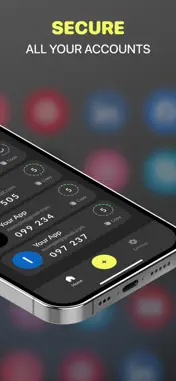
The App is your go-to, free solution for managing two-factor (2FA) and multi-factor (MFA) authentication on your iPhone and iPad. Safeguard your online accounts—like Facebook, Google, Instagram, Microsoft, Roblox, and thousands more—using secure 2FA codes. Whether securing emails, social media profiles, or financial accounts, KeyGuard provides reliable and free two-factor authentication. Download it today on your iPhone or iPad to take control of your online security! Why? Goes beyond just two-step verification. It’s a comprehensive solution for managing 2FA codes, passwords, and overall digital security. Whether you’re in need of an authenticator app, a password manager with autofill, or even a built-in VPN, KeyGuard offers unmatched convenience and security. Key Features: Two-Factor Authentication (2FA): Safeguard your accounts with time-based codes (OTP, TOTP). Works perfectly with Google, Facebook, Microsoft, Instagram, and more. Password Manager with Autofill: Safely store, organize, and autofill your passwords. Effortlessly generate strong, unique passwords. Encrypted Backups: Keep your 2FA codes and passwords secure with end-to-end encrypted iCloud backups. Cross-Device Sync: Access your 2FA codes and passwords across your iPhone, iPad, and other Apple devices in real-time. Offline Access: Generate 2FA codes without an internet connection, ensuring continuous protection. Advanced Security Options: Lock the app with Touch ID, Face ID, or a secure PIN for extra security, ensuring only you can access your data. Built-In VPN Protection: Secure your online connection and browse safely with an integrated VPN. Getting Started is Simple: Log in to the account you wish to secure (e.g., Google, Facebook, Amazon). Go to the account's security settings and enable Two-Factor Authentication (2FA). Choose the "Authentication App" option. Scan the QR code with the KeyGuard App. Enter the generated code to confirm the setup. Enable encrypted backups for extra peace of mind. Your Data, Fully Secured App ensures your sensitive data is safe with end-to-end encryption, making sure that only you can access it—whether it’s stored on the cloud or offline. With secure backups, offline access, and seamless device syncing, keeping your data safe has never been easier. Compatible with Thousands of Services Protect your favorite accounts, including Gmail, Discord, Reddit, Twitch, PlayStation, Binance, Coinbase, Shopify, Salesforce, PayPal, LinkedIn, and many others. Download KeyGuard Authenticator App Today! Take charge of your online security now. With features like password management, a VPN, and encrypted backups, KeyGuard is the ultimate tool for safeguarding your accounts. Subscription Details Unlock premium features such as unlimited tokens, advanced password management, and enhanced VPN protection. Subscriptions renew automatically unless canceled at least 24 hours before the current period ends. Manage your subscriptions in the App Store settings. To protect your security and deter refund fraud, we provide Apple with anonymized data about how the app is used. Our full refund policy is explained in our Privacy Policy and Terms of Use. Contact us: [email protected] Privacy Policy: https://docs.google.com/document/d/1oRxdygmPYDMLOA9lrU9tyxd9XrmEhIdB3zp2awBmmOY/edit?usp=sharing Terms of Use: https://docs.google.com/document/d/1vo6uJR2_pkKJg_zJ8p7Vz4oMJYyI0FEHo2aSS-il00c/edit?usp=sharing
What's New
Version 1.1 2025-03-25
bug fixes Technical Analysis
Package Overview Basic metadata
Bundle ID
com.authy.application Current Version 1.1
Minimum iOS 16
Package Size App Store Size
Package Metadata 1 / 2 version records
4.5 / 5.0 (8 ratings)
Detailed binary, privacy manifest, framework, and Info.plist results have not been indexed for this package yet. The verified App Store and archive metadata above remains available.
Known Version Records
1 version record with stored package metadata • 2 known version records
Stored metadata does not guarantee a package is currently available to download.
| Details | Version / IDs | Version date | Action |
|---|---|---|---|
 9.93 MB | v1.1 App Store ID: 873480152Build: 5 | 2025-03-24 09:25:40 | Get Version |
| Not archived | App Store ID: 873152515 | Unknown | Request Version |