
Preview




Description
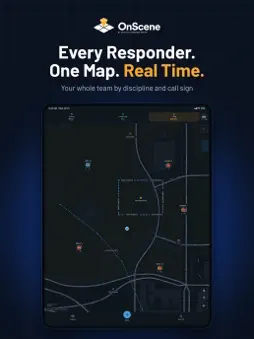
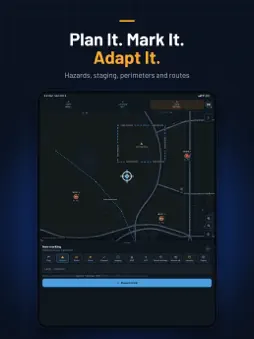
Every responder. One map. Real time. CRG OnScene puts your team, your plan and the ground you're working on one shared operating picture, in the field and at command. See where everyone is, mark what matters, adapt as the operation changes, and keep every partner on the same page. BUILT FROM THE MISSION OnScene was designed by special operations veterans, tactical operators and public safety practitioners. It builds on Collaborative Response Graphics®, the verified, gridded maps public safety relies on nationwide, and adds the real-time half of the picture. KNOW WHERE YOUR TEAM IS • Every responder on one map, by discipline and call sign • See how recent each position is, and which way you're facing • Tap anyone in the Team list to call, message or get directions PLAN IT. MARK IT. ADAPT IT. • Mark hazards, staging areas, perimeters, routes and points, each with a label • Attach photos to markings. Photos stay on your device • See who placed each marking, when, and who can see it • No signal? Markings are saved and sent when you reconnect RUN THE OPERATION • Give each event its own area, members and briefing • Add and remove members as the operation grows • Switch between an event and the full map at any time • Get notified when you're added to or removed from an event • Command staff work the same operation in OnScene Desktop, the web-based companion KNOW THE GROUND, INSIDE AND OUT • Standard and aerial basemaps anywhere you operate • Where CRGs exist, open verified site plans floor by floor • Measure distances and areas right on the map • Search for people and markings • Dark and light appearances for day and night operations YOU CONTROL LOCATION SHARING • Your position is shared only with your team, while you're signed in and sharing is on • OnScene keeps sharing in the background so your team can see you with your phone in a pocket. The location indicator shows whenever it does • Turn off Share my position at any time. Closing the app also stops sharing • Your location is never sold or shared with advertisers. The app has no ads or tracking software ACCOUNT REQUIRED CRG OnScene requires an account issued by your agency or organization. There is no public sign-up. Contact your administrator for access.
What's New
Version 4.0.2 2026-10-31
Offline floor plans, saved groups, and one map of everyone. • Download an area, with or without an event, and its CRG floor plans keep drawing with no connecti... Technical Analysis
Package Overview Basic metadata
Bundle ID
com.crgplans.onscene Current Version 4.0.2
Minimum iOS 17.4
Package Size App Store Size
Package Metadata 0 / 0 version records
Detailed binary, privacy manifest, framework, and Info.plist results have not been indexed for this package yet. The verified App Store and archive metadata above remains available.
Developer Information
Known Version Records
0 version records with stored package metadata
Stored metadata does not guarantee a package is currently available to download.
| Details | Version / IDs | Version date | Action |
|---|