
Preview






Description
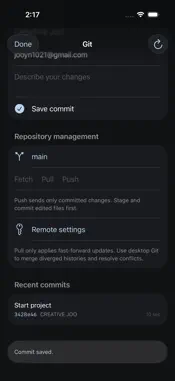
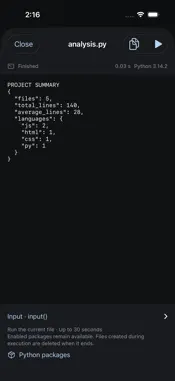
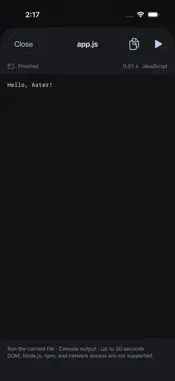
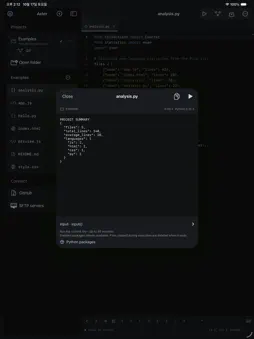
Aster is a code editor for iPhone and iPad. Open local projects or folders from Files, edit code, and inspect its output. Basic Python and JavaScript execution works on your device without an internet connection. EDIT CODE • Syntax highlighting for Python, JavaScript, TypeScript, HTML, CSS, JSON, Markdown, and more • JavaScript and TypeScript completion; Python keywords, built-ins, and snippets • File tabs, find and replace, undo and redo • Compact coding keys, keyboard controls, and hardware keyboard shortcuts OPEN PROJECTS • Create local projects, files, and folders • Open iCloud Drive and supported file-provider folders through Files • Recover editing drafts and detect conflicting changes before saving • View your file list beside the editor on iPad RUN PYTHON AND JAVASCRIPT • Run the current editor file locally • Read output and errors, stop, rerun, and copy output • Use Python's standard library and line-based input() • Select bundled Python packages, including NumPy, for offline use • Inspect JavaScript console.log output and errors PREVIEW THE WEB • Preview HTML projects inside the app • Test pages with the project's HTML, CSS, and JavaScript USE GIT AND REMOTE FILES • Connect your GitHub account; list, search, and clone your repositories • Initialize or clone HTTPS repositories; view changes, stage, commit, and switch branches • Fetch, fast-forward pull, and push • Open and save files on your computer or server with SFTP • Run SSH commands and Git on the connected computer • Optionally store credentials in this device's Keychain SCOPE Local execution is a constrained programming environment. Python uses Pyodide and a supported package catalog. Arbitrary pip commands and PyPI package installation are not available. Node.js, npm, OS shells, and VS Code extensions are not included. Basic runs are limited to 30 seconds, and temporary runtime files do not automatically modify your project. Git uses saved files and does not merge divergent histories or perform rebases. Saving a remote file uploads it; it does not automatically deploy a service. iCloud synchronization and offline availability are managed by iOS and your file provider. Remote Git/SFTP connections need an internet connection or a network path to the server. SFTP currently uses password authentication; replacing existing remote files also requires SSH shell access. Requires iOS 18 or later.
What's New
Version 1.2.2 2026-10-26
• Select code with a long press and adjust the range with selection handles. • Improved Copy, Cut, Paste, and Select All in the editor. • Share the current file... Technical Analysis
Package Overview Basic metadata
Bundle ID
com.creativejoo.aster Current Version 1.2.2
Minimum iOS 18.0
Package Size App Store Size
Package Metadata 0 / 0 version records
Detailed binary, privacy manifest, framework, and Info.plist results have not been indexed for this package yet. The verified App Store and archive metadata above remains available.
Developer Information
Known Version Records
0 version records with stored package metadata
Stored metadata does not guarantee a package is currently available to download.
| Details | Version / IDs | Version date | Action |
|---|