
Preview


Description
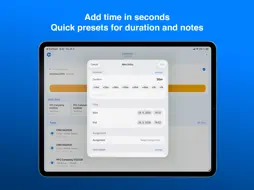
Track your time on the go with Costlocker — the simple way to log hours for your projects and clients, right from your iPhone and Apple Watch. Costlocker keeps your tracked time in sync across your devices, so you can start a timer on your watch, check it on your phone, and pick up where you left off. To turn your tracked time into project costs and profitability, you need a free or paid Costlocker account — the full evaluation lives in the Costlocker web app. In the app you can: • Track time for projects and clients — start and stop in one tap • Add, edit, and delete time entries manually • See today's entries with daily totals • Quick-start your favorite assignments • Follow your running timer with Live Activity and home screen widgets • Track right from your wrist with the Apple Watch app • Switch between multiple companies in seconds Time tracking is the first step. To see the costs and profits generated from your tracked time, open Costlocker in your web browser: create project budgets, track expenses, and monitor the profitability of your projects, clients, and employees.
What's New
Version 2.2 2026-07-26
• Apple Watch works on its own — start and stop tracking directly from your wrist, even when your iPhone is off or out of reach. Favorites and today's total loa... Technical Analysis
Package Overview Package analysis available
Bundle ID
com.costlocker.Costlocker Current Version 2.2
Minimum iOS 26.0
Package Size App Store Size
Package Metadata 1 / 4 version records
CostlockerCore
com.costlocker.CostlockerCore v1.0iOS 17.5+168.02 KB
Known Version Records
1 version record with stored package metadata • 4 known version records
Stored metadata does not guarantee a package is currently available to download.
| Details | Version / IDs | Version date | Action |
|---|---|---|---|
 Not archived | App Store ID: 887553707 | Unknown | Request Version |
| Not archived | App Store ID: 886772734 | Unknown | Request Version |
| Not archived | App Store ID: 869202879 | Unknown | Request Version |
| 338.16 KB | v1.0 App Store ID: 866945957Build: 6 | 2024-09-18 10:50:22 | Get Version |