Preview


Description
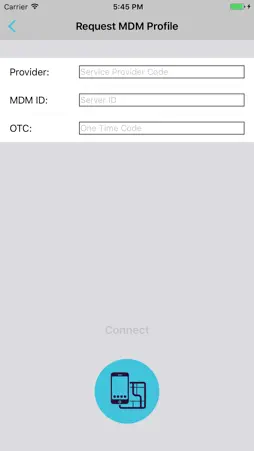
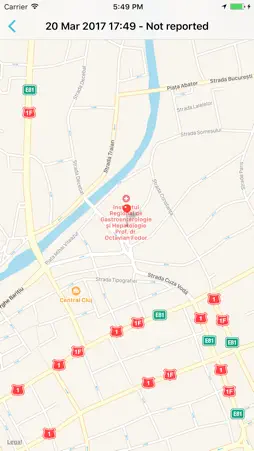
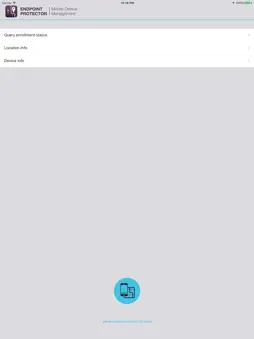
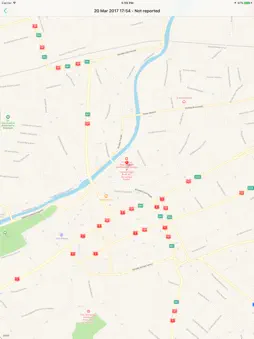
Endpoint Protector Mobile Device Management provides complete iOS enterprise mobility management for small and medium sized businesses and enterprises. It offers your IT department the ability to easily enroll iOS devices; provision them; make sure the proper security policy is established and enforced. All this works over-the-air, from the initial enrollment, provisioning and remote lock or remote nuke (remote wipe) of iOS devices. Endpoint Protector is available to companies as virtual or hardware appliance and as cloud based solution called My Endpoint Protector for fast implementation, ease of use through its intuitive web-based interface and great scalability. EPP MDM is the iOS app used to communicate with your Endpoint Protector Server (or My Endpoint Protector) for MDM (Mobile Device Management) services and can also be used to enroll your device with the Endpoint Protector Server (or My Endpoint Protector). The EPP MDM app provides additional information about your iOS device such as your device current location. The EPP MDM app is optional and not required for the core MDM features; it is only required to be installed on an iOS device in case you want to use the additional features (location services). Endpoint Protector and My Endpoint Protector allow your company to: • Face the security challenges posed by mobile devices • Enforce security policy • Prevent Device Loss and Device Theft • Enroll iOS devices over-the-air • Track devices • Remote lock or remote nuke (remote wipe) Enrollment Instructions after downloading the app: 1. From the iTunes AppStore download and install the EPP MDM app on your iOS device. 2. Launch the app. 3. If your iOS device already has been enrolled to your companies Endpoint Protector Mobile Device Management Server (or with My Endpoint Protector) the app will show you as status enrolled. 4. If your iOS device was not enrolled yet with your companies Endpoint Protector Mobile Device Management Server (or My Endpoint Protector) you have to enter an Endpoint Protector ID (in case of My Endpoint Protector your Unique ID) and a One Time Code (OTC) that your companies’ administrator can provide. 5. The EPP MDM App is now working.
What's New
Version 1.2 2017-04-12
The application was migrated to Swift 3.0 and the design was updated. Technical Analysis
Package Overview Basic metadata
Bundle ID
com.cososys.EPPMDM Current Version 1.2
Minimum iOS 8.0
Package Size Latest Recorded Package Size
Package Metadata 2 / 5 version records
Detailed binary, privacy manifest, framework, and Info.plist results have not been indexed for this package yet. The verified App Store and archive metadata above remains available.
Developer Information
Known Version Records
2 version records with stored package metadata • 5 known version records
Stored metadata does not guarantee a package is currently available to download.
| Details | Version / IDs | Version date | Action |
|---|---|---|---|
 4.35 MB | v1.2 App Store ID: 841420225Build: 1.2.0.5 | 2021-04-15 07:13:04 | Get Version |
| Not archived | App Store ID: 821162500 | Unknown | Request Version |
| Not archived | App Store ID: 58192684 | Unknown | Request Version |
| Not archived | App Store ID: 15985755 | Unknown | Request Version |
 360.59 KB | v0.1 App Store ID: 11602852Build: 1.0.0.6 | 2012-11-28 11:28:46 | Get Version |