
Preview












Description
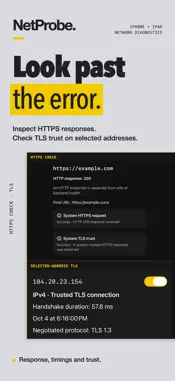
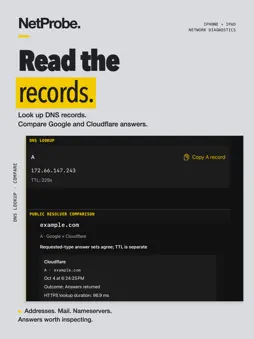
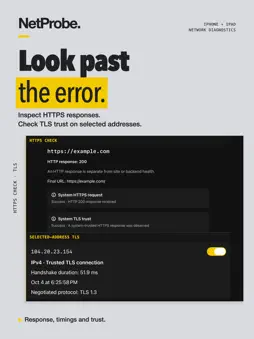
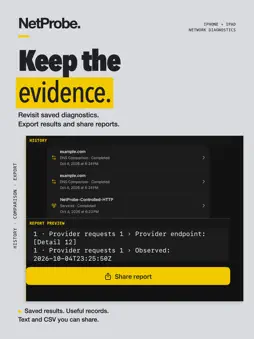
When a connection acts up, reach for NetProbe. Find responding hosts, check latency and TCP ports, trace routes, inspect DNS and HTTPS, and save the evidence—all from your iPhone or iPad. CHECK THE CONNECTION Use real IPv4 ICMP Ping with live latency charts and packet-loss statistics. Trace responding hops to a destination. Compare up to three targets in a timed foreground Stability session, with a timeline and notes to capture what happened. EXPLORE YOUR LOCAL NETWORK Scan your LAN for responding IPv4 hosts, label saved results, and jump into Ping or a port check. Browse supported Bonjour services, inspect their advertised addresses and ports, and test a selected TCP endpoint. SEE WHICH PORTS RESPOND Check common TCP ports or choose your own. Use web, database and other port presets to check whether an endpoint accepts a connection. LOOK CLOSER AT DNS AND HTTPS Look up A, AAAA, MX, TXT, CNAME, NS, SOA and PTR records through Google or Cloudflare. Compare both providers side by side. Inspect HTTPS status, redirects and available connection timings. Follow DNS results into selected-address TLS checks that preserve the hostname and system trust. KEEP A USEFUL RECORD Save diagnostics in local History and revisit the details. Compare supported service/TCP or DNS runs before and after a change. Preview reports with detail redaction, then share text or CSV when you need to explain what you found. THE EVERYDAY EXTRAS Send Wake-on-LAN magic packets to compatible devices using saved shortcuts. Calculate IPv4 subnet ranges, masks and broadcast addresses offline. Look up available Whois registration details for supported domains. BUILT FOR IPHONE AND IPAD A focused phone layout and an iPad sidebar workspace. Dark, light and automatic appearance. No app account required. No ads or subscriptions. TRY THE TOOLKIT. UNLOCK IT ONCE. Start a seven-day free trial. Keep access with a one-time lifetime in-app purchase; the app shows your regional price before purchase. Diagnostics contact the targets and providers you choose. Saved history stays on your device until you export it. Discovery shows responding hosts and supported advertised services, not a guaranteed inventory. Missing replies do not prove a host is offline. Stability runs in the foreground; before-and-after comparison supports service/TCP and DNS runs. Wake-on-LAN requires compatible hardware and network settings; sending a packet does not confirm a wake. Review reports before sharing.
What's New
Version 2.0 2026-10-05
NetProbe 2.0 brings a sharper workspace and more ways to investigate a connection. • New graphite and yellow design across iPhone and iPad. • Browse Bonjour se... Technical Analysis
Package Overview Basic metadata
Bundle ID
io.corelift.netprobe Current Version 2.0
Minimum iOS 26.2
Package Size App Store Size
Package Metadata 0 / 1 version records
Detailed binary, privacy manifest, framework, and Info.plist results have not been indexed for this package yet. The verified App Store and archive metadata above remains available.
Developer Information
Known Version Records
0 version records with stored package metadata • 1 known version records
Stored metadata does not guarantee a package is currently available to download.
| Details | Version / IDs | Version date | Action |
|---|---|---|---|
| Not archived | App Store ID: 883265476 | Unknown | Request Version |