Preview




Description
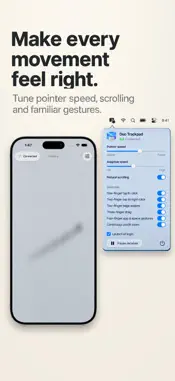
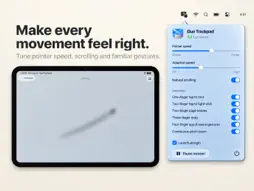
Turn your iPhone or iPad into a trackpad and customizable control center for your Mac. Point, click, scroll, and drag with familiar touch gestures. Then make the surface your own: keep your favorite Mac apps, Shortcuts, media controls, and quick actions within reach. BUILD YOUR OWN CONTROL SURFACE Create named layouts for work, creativity, presentations, or relaxing with music. Arrange and resize buttons on the surface or in its toolbars. Customize button colors and symbols, and choose when mouse-button labels appear. Switch layouts with a button, through Shortcuts, or automatically when your device changes orientation or enters a supported iPhone Duo pose. YOUR MAC, ONE TAP AWAY Launch Mac applications and run your Mac's Shortcuts from dedicated buttons. Navigate the Mac app switcher, switch to another app, or hide and quit apps without reaching for your keyboard. Capture your Mac's entire screen, a selected area, or a window, saving it on the Mac or copying it to its clipboard. PLAYBACK AT YOUR FINGERTIPS Add playback buttons, a volume slider, or a larger media control panel. Optional Apple Music access brings song information and playback state to the surface. A separate microphone button mutes and unmutes your Mac's default input on supported devices. FAMILIAR GESTURES, YOUR STYLE Move the pointer with one finger and scroll with two. Click and hold to drag, or use Premium gestures for three-finger dragging, page navigation, Mission Control, app windows, Spaces, and pinch to zoom in supported Mac apps. Choose Matte Aluminum, Satin Plastic, Leather, Woven Fabric, or Silicone, with touch impressions that bring each surface to life. Supported iPhones also offer optional haptic feedback for controls. START FREE, MAKE IT YOURS WITH PREMIUM Pointer movement, tap clicks, and scrolling are free. Premium unlocks custom layouts and buttons, advanced gestures, additional surface styles, and more pointer adjustments. The Mac receiver is free to use. CONNECT TO YOUR MAC Install Duo Trackpad on both devices. Connect over Bluetooth or your local Wi-Fi network. The Mac companion stays in your menu bar and guides you through pointer-control permissions. Selecting Mac apps and Shortcuts requires Wi-Fi; saved buttons also work over Bluetooth. Update both companion apps to use the latest features. Requires iOS or iPadOS 26 or later and macOS 26 or later. Apple Music and Mac Shortcuts integrations require optional permissions on your Mac. Microphone mute depends on the input device and does not change a meeting app's own mute setting. Privacy Policy: https://duotrackpad.com/privacy Terms of Use: https://www.apple.com/legal/internet-services/itunes/dev/stdeula/
What's New
Version 1.1 2026-11-09
Make it your trackpad. Make it your Mac control center. Duo Trackpad 1.1 brings new ways to customize your surface and get things done on your Mac. BUILD A CO... Technical Analysis
Package Overview Basic metadata
Bundle ID
space.corebits.mouse Current Version 1.1
Minimum iOS 26.0
Package Size App Store Size
Package Metadata 0 / 0 version records
Detailed binary, privacy manifest, framework, and Info.plist results have not been indexed for this package yet. The verified App Store and archive metadata above remains available.
Developer Information
Known Version Records
0 version records with stored package metadata
Stored metadata does not guarantee a package is currently available to download.
| Details | Version / IDs | Version date | Action |
|---|