
Preview







Description
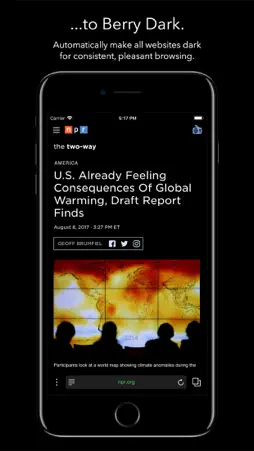
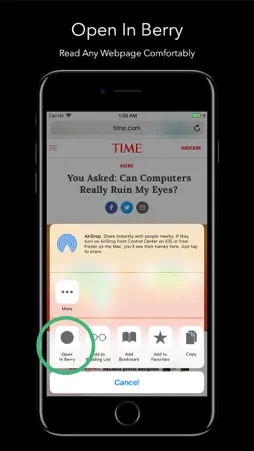
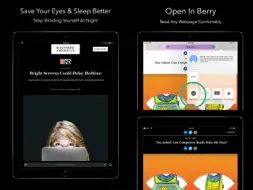
Browse the web comfortably with Berry, the browser that automatically gives all websites a "dark mode", blocks ads/trackers, and so much more. ~ INSTANTLY TOGGLE DARK/LIGHT MODE ~ Three finger drag up and down to quickly toggle Light or Dark Mode on any site. It also lets you go even darker - a convenient way to further adjust brightness without going to control center. ~ SAVE YOUR EYES & SLEEP ~ Stop getting blinded by bright white websites. Reduce eye strain, get better sleep with Berry's dark, beautiful browsing and interface. It even works with Night Shift, allowing you reduce blue light at night while browsing. ~ INCREASE BATTERY LIFE ON IPHONE X ~ On iPhone X, browsing with Berry can extend your battery life because darker pixels use less power. For other devices, increasing the contrast between text and background can allow you to lower your screen's brightness, saving battery. ~ PRIVACY FIRST & ADBLOCK ~ Automatically blocks ads and trackers to speed up websites up to 2x and protect your privacy. One tap to instantly clear all of your browsing history and data. Built in Private Tabs mode. ~ TODAY WIDGET ~ Copy links and tap the widget to browse them peacefully in Berry. Link previews are only visible when your device is unlocked, to protect your privacy. Also, instantly get to your favorites (in dark mode) from the lock screen, bypassing the home screen. ~ THUMB-FRIENDLY NAVIGATION ~ All of Berry's controls are at the bottom, not the top of the screen, so you don't strain your thumb trying to navigate the web - or worse, drop your phone trying to tap the search bar. ~ DARK KEYBOARD ~ Activate the included Berry Dark Keyboard to further reduce the brightness of the screen when you're typing. You can use it in any app, not just Berry. ~ AND TONS MORE FEATURES ~ - Dark Reader Mode - One universal app for both iPhone and iPad - No advertisements - iCloud synced bookmarks - iCloud Keychain password autofill - Works with 1Password ~ The Berry Simple Privacy Policy ~ - We NEVER collect any personally identifiable information about you. - We NEVER collect or use any of your personal data for any type of marketing or advertisements. We don't use cookies or any other mechanism to track anything about you personally. - Basically - You are not the product. You buy and own the app -- not the other way around. Berry contains an optional opt-in service to gain unlimited data for our VPN service (Berry Secure VPN) as well as an iOS content blocker to stop intrusive ads and tracking scripts. Berry subscriptions have a free one week trial, after which you will be charged to your credit card through your iTunes $4.99 per month or $49.99 per year, depending on which subscription plan you choose. Price may vary by location. Your subscription will automatically renew unless canceled at least 24 hours before the end of the current period. Any unused portion of a free trial period, if offered, will be forfeited when the user purchases a subscription to that publication. Manage Berry Secure subscriptions in Account Settings after the optional upgrade. Terms & Conditions - https://berrybrowser.com/terms.html Privacy Policy - https://berrybrowser.com/privacy.html Send questions, comments, feedback to: [email protected]
What's New
Version 1.0 2018-08-09
This app has been updated by Apple to display the Apple Watch app icon. Technical Analysis
Package Overview Basic metadata
Bundle ID
com.confirmed.berry Current Version 1.0
Minimum iOS 11.0
Package Size App Store Size
Package Metadata 0 / 1 version records
4.5 / 5.0 (63 ratings)
Detailed binary, privacy manifest, framework, and Info.plist results have not been indexed for this package yet. The verified App Store and archive metadata above remains available.
Developer Information
Known Version Records
0 version records with stored package metadata • 1 known version records
Stored metadata does not guarantee a package is currently available to download.
| Details | Version / IDs | Version date | Action |
|---|---|---|---|
| Not archived | App Store ID: 841906557 | Unknown | Request Version |