Preview
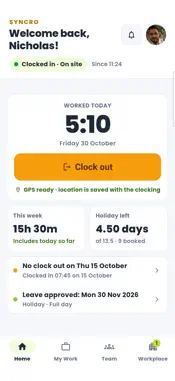


Description
Syncro Connect is the staff app for Syncro Connect time and attendance. Employees clock in, request leave and check their hours from their own phone, and managers see who is in and approve requests wherever they are. FOR EMPLOYEES - Clock in and out from your phone, with your location saved with each clocking - Request holiday and other leave, for a full day or part of a day - Attach a photo or file to a request, such as a fit note - See how much holiday you have left, what is booked and what is coming up - Check your timesheet and the hours you have worked, and how they were paid if your employer shows this - Get a notification when your leave is approved or declined, or when you miss a clock-out WORKPLACE (WITH SYNCRO HR) - Sign forms such as appraisals with your finger, and see who still needs to sign - Read company documents such as the staff handbook - Read messages from your company - Keep your address, personal contact and emergency contact up to date - Claim expenses and mileage, and follow your claims FOR MANAGERS - Approve or decline leave requests from your phone - Approve expense claims and details changes - See who is on site, working remotely, on a site visit or off site, as it happens - Check any employee's weekly timesheet and holiday balance - Receive scheduled reports in your inbox - See which visitors are due in or signed in, and pre-book a visitor (with the Visitors module) SECURE AND SIMPLE Sign in once with your Syncro Connect details, then open the app with a passcode or your phone's fingerprint or face recognition. Managers only see the tools and people their access allows. Syncro Connect data is hosted in the UK. GOOD TO KNOW Syncro Connect needs an account set up by your employer. If you cannot sign in, ask your manager or HR team. The features you see depend on what your employer uses, so some screens may differ from the pictures here. Made by Computime in Leeds, supporting UK employers since 1989. Help and support: 0113 350 9043 or [email protected]
What's New
Version 1.0.29 2026-11-04
- Updated secure storage for your sign-in. You stay signed in after updating. - Tapping a notification now opens the right screen, such as Request History or th... Technical Analysis
Package Overview Basic metadata
Bundle ID
com.syncro.connect Current Version 1.0.29
Minimum iOS 15.0
Package Size App Store Size
Package Metadata 0 / 5 version records
Detailed binary, privacy manifest, framework, and Info.plist results have not been indexed for this package yet. The verified App Store and archive metadata above remains available.
Developer Information
Known Version Records
0 version records with stored package metadata • 5 known version records
Stored metadata does not guarantee a package is currently available to download.
| Details | Version / IDs | Version date | Action |
|---|---|---|---|
| Not archived | App Store ID: 888110545 | Unknown | Request Version |
| Not archived | App Store ID: 887481642 | Unknown | Request Version |
| Not archived | App Store ID: 886289357 | Unknown | Request Version |
| Not archived | App Store ID: 886005341 | Unknown | Request Version |
| Not archived | App Store ID: 885664753 | Unknown | Request Version |