Preview






Description
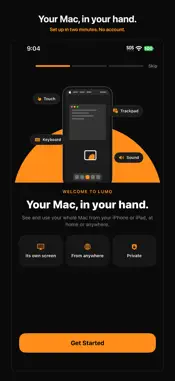
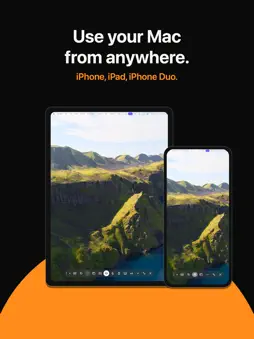
Your Mac is at home. You're not. Lumo puts it in your hand. Lumo shows your Mac on your iPhone or iPad and lets you use it like you're sitting in front of it: tap, scroll, drag, type, and use every Mac shortcut. It's fast enough to feel local, up to 120 frames a second. WHAT IT SOLVES • Left a file on the Mac at home? Open it from anywhere. • Mac mini with no screen? Lumo is its screen. • Need the Mac while you're on the couch, in bed, or at the office? Pick up your phone. • Tired of squinting at a laptop-size desktop on a phone? Lumo gives each device a Mac display of its own, shaped to fit it, so text is readable and nothing is cut off. WHY LUMO • A screen of its own: your iPhone or iPad gets its own Mac display, not a tiny copy of your monitor. • Phone only: one tap turns your Mac's screens off and puts everything on your device, then puts every window back when you're done. • Touch or trackpad: tap where you look, or move a pointer like a MacBook trackpad. Two-finger scroll, right-click, drag, pinch to zoom. • A real Mac keyboard: Esc, Tab, arrows, Command, Option, Control, plus one-tap Spotlight, App Switcher and Mission Control. • From anywhere: at home it finds your Mac by itself. Away, it connects over the internet or Tailscale. • Built for iPhone Duo: laptop mode puts the Mac on top and a keyboard and trackpad below. • Sound and clipboard: hear your Mac, and copy and paste between devices. • Unlock your Mac remotely, with your saved password behind Face ID. • Widgets, Siri and a Live Activity: connect in one tap, see your session on the Lock Screen. PRIVATE BY DESIGN Lumo connects your devices directly to each other, encrypted end to end. There's no account to make and no Lumo server in the middle. Pairing needs a code from your own Mac, on your own network. HOW IT WORKS 1. Download the free Lumo app for your Mac (macOS 15 or later). 2. Allow two permissions when it asks. 3. Scan the code it shows with your iPhone or iPad. Done. LUMO PRO Try everything free for 7 days. Then $4.99 a month or $34.99 a year. Cancel anytime in Settings. Payment is charged to your Apple Account at confirmation of purchase. Subscriptions renew automatically unless canceled at least 24 hours before the end of the current period. Manage or cancel in Settings › Apple Account › Subscriptions. Terms of Use: https://www.apple.com/legal/internet-services/itunes/dev/stdeula/ Privacy Policy: https://commonerapps.com/lumo/privacy/
Technical Analysis
Package Overview Basic metadata
Bundle ID
com.commonerapps.reach.ios Current Version 1.0
Minimum iOS 18.0
Package Size App Store Size
Package Metadata 0 / 0 version records
Detailed binary, privacy manifest, framework, and Info.plist results have not been indexed for this package yet. The verified App Store and archive metadata above remains available.
Developer Information
Known Version Records
0 version records with stored package metadata
Stored metadata does not guarantee a package is currently available to download.
| Details | Version / IDs | Version date | Action |
|---|