Preview




Description
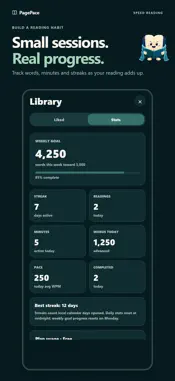
Read what interests you, at your pace. PagePace turns articles, books, and your own text into focused reading. Choose Word, Sentence, or Page mode. Set your reading speed in Word and Sentence, or turn pages manually in Page mode. IMPORT FROM SAFARI Share a supported article from Safari to PagePace. Review the extracted text, then read it immediately or save it to your Bookshelf. Catch up on news and other articles in a format that helps you focus. BRING YOUR BOOKS Import supported, DRM-free EPUBs and keep an entire book in one Bookshelf slot. Browse chapters, drag the chapter progress bar to revisit a passage, and return to your saved reading position. READ IN PAGE MODE See a full page of text and adjust the font size to suit you. Turn pages with left and right swipes or the page arrows. Open a reading from your Bookshelf and stay with it until you choose another. CHOOSE YOUR FOCUS Optionally emphasize one letter slightly left of center in each word. Turn Focus letter on or off in Word, Sentence, and Page, and choose Auto, Red, Yellow, or Light Blue. FOCUS IN FULLSCREEN Give your words more room with fullscreen reading. Start in portrait, rotate between landscape views using the on-screen control, and return to the regular reader at the same place. ADD YOUR OWN TEXT Paste text or import supported documents. Read once without saving, or keep a reading on your Bookshelf for later. FIND YOUR NEXT READ Search your Bookshelf, bring the formats you want to the top, and pick up your last-opened reading. Browse website links by category and keep favorite sources close by. MAKE READING YOURS Adjust your pace, reading format, font, and appearance. Choose Default Light or Dark and three core font options for free. PagePace Plus adds more color palettes and nine additional reader fonts. FREE AND PAGEPACE PLUS All supported import formats and core reading features are available for free. Free includes space for 3 Bookshelf readings and 10 successful Safari imports per month. Upgrade to PagePace Plus to expand your Bookshelf to 250 readings, enjoy unlimited Safari shares, and unlock the additional color palettes and fonts. Import size and capture limits still apply. PagePace Plus is available as a monthly or annual auto-renewing subscription. Payment is charged to your Apple Account. Subscriptions renew automatically unless cancelled at least 24 hours before the current period ends. Manage or cancel your subscription in your Apple Account settings. Privacy Policy: https://pagepace.pages.dev/privacy/ Terms of Use: https://www.apple.com/legal/internet-services/itunes/dev/stdeula/
What's New
Version 1.4 2026-11-12
New in PagePace 1.4: • Page mode: read a full page of text with adjustable font size and manual page turns. • Focus letter: optionally highlight one letter in ...New in PagePace 1.4: • Page mode: read a full page of text with adjustable font size and manual page turns. • Focus letter: optionally highlight one letter in each word across Word, Sentence, and Page, with a choice of colors. • Stay in your reading: opening a book or story from Bookshelf now keeps vertical swipes from switching to another reading. • Reading position and navigation improvements. Technical Analysis
Package Overview Basic metadata
Bundle ID
com.colbykerner.pagepace Current Version 1.4
Minimum iOS 15.1
Package Size App Store Size
Package Metadata 0 / 0 version records
Detailed binary, privacy manifest, framework, and Info.plist results have not been indexed for this package yet. The verified App Store and archive metadata above remains available.
Developer Information
Known Version Records
0 version records with stored package metadata
Stored metadata does not guarantee a package is currently available to download.
| Details | Version / IDs | Version date | Action |
|---|