Preview





Description
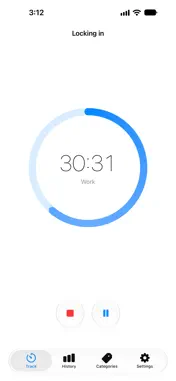
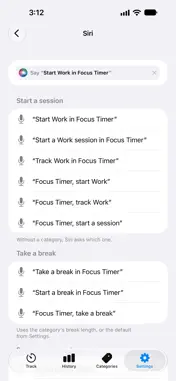
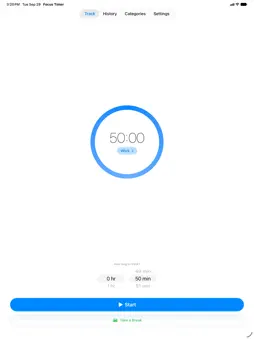
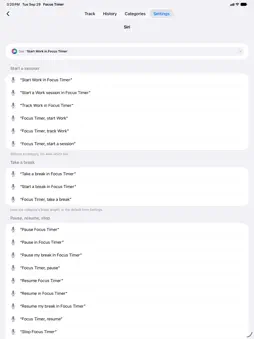
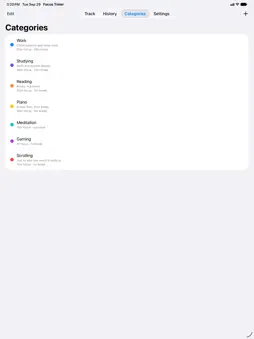
Every session from now on is a step toward a more mindful life. Focus Timer is a simple way to see where your time actually goes. Make a handful of categories for anything you want to measure, good or bad: Work, Reading, Studying, Meditation… or Gaming and Scrolling, if you're up for it. Then start a timer with a default track and break time whenever you start one of them. That's the whole habit. After a few days the numbers start talking, and most people are surprised by what they hear. HOW IT WORKS • Pick a category, tap Start. • Pause when life gets in the way. Pauses are saved too, so your history stays honest. SEE WHERE YOUR TIME GOES • Your day as a timeline, in each category's colour. Pinch to zoom in, all the way down to the minute. • Every past day and week is there too. • Filter by category to see just your Work, or just your Gaming. ON YOUR WRIST • The Apple Watch app runs sessions on its own. Turn off your iPhone, leave it in another room, and keep tracking from your wrist. • Start on your iPhone, pause on your Watch. They stay in sync. JUST TELL SIRI • "Start Work in Focus Timer." Any category works, no setup needed. • Pause, resume, stop, take a break, or ask for today's summary without touching a thing. YOUR DATA, YOUR WAY • Everything syncs between your iPhone, iPad and Apple Watch through your own iCloud. • Export your whole history to CSV or SQL anytime, with a README that explains every column. Hand it to your spreadsheet, your analytics app or your AI and ask things like "Which hour of the day do I get the most tracked time, and is it different on weekends?" • Import it back whenever you like. • No accounts, no ads, no tracking. We never see your data. OUR PROMISE Create a handful of categories and keep tracking your sessions through the week. This one simple change will save you hours of your life, every week. We know from our testing that this works for most people, but certainly not everyone. If the experiment doesn't save you real time after a few days, please feel free to delete the app.
What's New
Version 1.1 2026-10-28
Adds a free 7-day trial and a one-time purchase to unlock Focus Timer for good. Technical Analysis
Package Overview Basic metadata
Bundle ID
ca.cododev.FocusTimer Current Version 1.1
Minimum iOS 26.4
Package Size App Store Size
Package Metadata 0 / 0 version records
Detailed binary, privacy manifest, framework, and Info.plist results have not been indexed for this package yet. The verified App Store and archive metadata above remains available.
Developer Information
Known Version Records
0 version records with stored package metadata
Stored metadata does not guarantee a package is currently available to download.
| Details | Version / IDs | Version date | Action |
|---|