Preview





Description
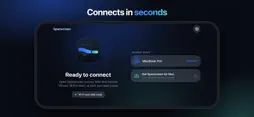
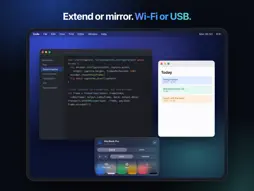
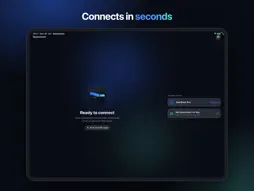
Spanscreen turns your iPhone or iPad into a real second display for your Mac. Drag windows over, keep chat or music on the side, or mirror your screen to show something. It works over Wi-Fi, without any network, or with a USB cable. EXTEND OR MIRROR Spanscreen adds a real display to macOS. Arrange it in System Settings like any monitor, move windows onto it and use it all day. Or switch to Mirror to show your main screen on the iPhone. SHARP AND FAST The display matches your iPhone pixel for pixel, so text is crisp. Pick Larger, Default, More Space or Most Space. Video is encoded and decoded in hardware with no buffering, and the bitrate adapts to your connection. Up to 120 Hz on ProMotion iPhones. WI-FI OR CABLE Use the same Wi-Fi, a direct peer-to-peer link when there is no network, or a USB cable for the lowest latency. Plug in while streaming over Wi-Fi and Spanscreen moves to the cable by itself. MADE FOR IPHONE DUO Fold or unfold and your Mac follows: the cover screen and the large inner screen each get their own native resolution. Rotate any iPhone for a portrait display. TOUCH, TRACKPAD AND KEYBOARD Tap to click, touch and hold to right-click, drag to move windows, scroll with two fingers. Switch to trackpad mode for precise pointer control, type with the on-screen keyboard or a hardware keyboard. PRIVATE BY DESIGN No account, no cloud, no tracking. The picture travels only between your own devices. Every Mac must be approved once on the iPhone, and paired devices verify each other on every connection. FREE AND OPEN SOURCE Spanscreen is free, has no ads and no in-app purchases. The code is on GitHub. HOW TO START 1. Get the free Spanscreen app for Mac at codextde.github.io/spanscreen (macOS 14 or later). 2. Open Spanscreen on your iPhone on the same Wi-Fi or connect the cable. 3. Click Connect next to your iPhone in the Mac menu bar. Done.
Technical Analysis
Package Overview Basic metadata
Bundle ID
de.codext.spanscreen Current Version 1.0.1
Minimum iOS 17.0
Package Size App Store Size
Package Metadata 0 / 0 version records
Detailed binary, privacy manifest, framework, and Info.plist results have not been indexed for this package yet. The verified App Store and archive metadata above remains available.
Developer Information
Known Version Records
0 version records with stored package metadata
Stored metadata does not guarantee a package is currently available to download.
| Details | Version / IDs | Version date | Action |
|---|