
Preview



Description
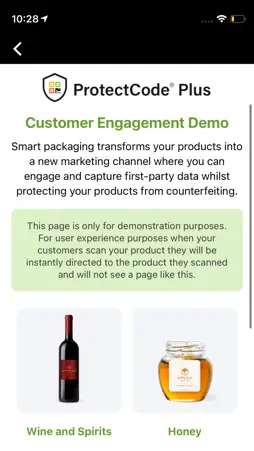
To authenticate items with ProtectCode® Plus, users are required to scan the anti-copy screen with a supported smartphone. ProtectCode® Plus is seamlessly applied to product packaging or official documents. How to verify the authenticity of an item with ProtectCode® Plus technology: 1. To verify if an item is authentic or not - scan the anti-copy screen with ProtectCode® Plus. 2. You will receive an ‘’authenticated’’ message for items that are authentic. 3. You will receive a “verification failed” error message when scanning a copied or low-resolution anti-copy screen. Why choose ProtectCode® Plus? 1. It cannot be copied by counterfeiters. 2. An item without ProtectCode® Plus is leaving itself unprotected from fakes. 3. It is applied to packaging whilst maintaining production efficiency. 4. ProtectCode® Plus is paired with our robust cloud platform: YPB Connect® where every scan is recorded geographically for analysis and documented for history. 5. ProtectCode Plus® can be used as a marketing tool to improve the customer experience and encourage repeat purchases after authentication. ProtectCode® Plus is proudly developed by Australian brand protection company: YPB Group Ltd If you are interested in using ProtectCode® Plus to protect your products or documents from fakes while simultaneously improving trust and empowering your users - inquire with us through [email protected].
What's New
Version 1.3.0 2023-08-16
Adjusted the Branding Technical Analysis
Package Overview Basic metadata
Bundle ID
com.ypbsystems.protectcode-plus Current Version 1.3.0
Minimum iOS 12.0
Package Size App Store Size
Package Metadata 0 / 0 version records
Detailed binary, privacy manifest, framework, and Info.plist results have not been indexed for this package yet. The verified App Store and archive metadata above remains available.
Developer Information
Known Version Records
0 version records with stored package metadata
Stored metadata does not guarantee a package is currently available to download.
| Details | Version / IDs | Version date | Action |
|---|