
Preview




Description
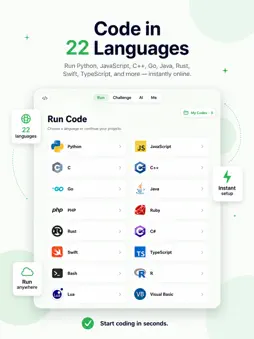
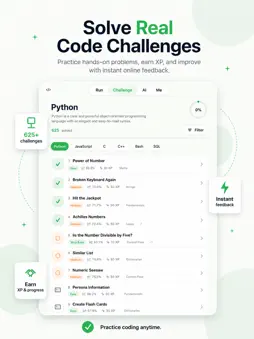
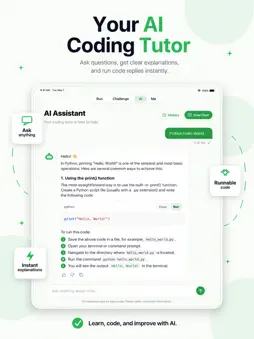
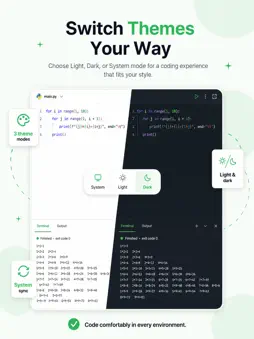
CodeBoom is a mobile coding app built for fast online programming, practice, and learning. Write and run code directly from your phone with an online IDE that supports 22 programming languages, including Python, JavaScript, C, C++, Go, Java, PHP, Ruby, Rust, C#, Swift, TypeScript, Bash, and more. Start a new file in seconds, run code instantly, and view results in a built-in terminal. Whether you are learning your first language, practicing algorithms, testing small ideas, or reviewing code examples, CodeBoom gives you a clean and focused coding workspace anywhere. Key Features Online IDE for 22 Languages Create and run code online without complicated setup. Choose your language and start coding instantly. Mobile Code Editor Write code with a simple, readable editor designed for mobile screens. Use light, dark, or system theme based on your preference. Real Terminal Output Run programs and see results in a built-in terminal. Use terminal input for interactive programs and check execution status in real time. AI Coding Tutor Ask coding questions, get clear explanations, generate examples, debug problems, and run code replies directly from the chat. Coding Challenges Practice hands-on programming challenges, track progress, earn XP, and improve step by step. Save Projects Save your code as reusable projects, manage them in My Codes, and download files whenever you need. Why CodeBoom? • Online coding in your pocket • 22 programming languages supported • Built-in editor and terminal • Runnable AI code examples • Practice challenges for real improvement • Save, manage, and download projects • Clean UI with light, dark, and system themes CodeBoom is designed for learners, students, developers, interview preparation, and anyone who wants to code quickly without setting up a desktop environment. Start coding online today.
What's New
Version 1.0.1 2026-06-27
CodeBoom now supports iPad. This update brings a larger coding workspace, improved iPad layouts, and smoother project management across iPhone and iPad. New i... Technical Analysis
Package Overview Basic metadata
Bundle ID
io.codeboom.app Current Version 1.0.1
Minimum iOS 17
Package Size App Store Size
Package Metadata 0 / 0 version records
Detailed binary, privacy manifest, framework, and Info.plist results have not been indexed for this package yet. The verified App Store and archive metadata above remains available.
Known Version Records
0 version records with stored package metadata
Stored metadata does not guarantee a package is currently available to download.
| Details | Version / IDs | Version date | Action |
|---|