Preview




Description
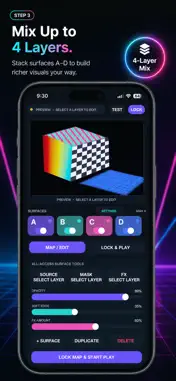
Turn walls, stages, and objects into moving light. PicoMap is projection mapping built for iPhone. Connect a projector, drag four corners, and play your own videos and photos — no computer, no complicated desktop software. HOW IT WORKS Connect your iPhone to a projector Drag the four corners to match your surface Drop in a video or photo and play KEY FEATURES Four-corner adjustment for precise surface mapping Import videos and photos from Photos or Files Build and mix up to four layers Rectangle, circle, triangle, diamond, and custom masks Opacity, soft-edge, and real-time FX controls Kaleidoscope, pixelate, chromatic, and strobe effects Audio-reactive and MIDI control Dual-channel live mixing Freeze, Blackout, Safe Scene, and master intensity Optional downloadable CC video library Portrait-first controls designed for iPhone Japanese and English interface MADE FOR Live shows, DJs, VJs, and stage performances Shops, exhibitions, and events Installations and video art Room lighting and creative experiments Anyone trying projection mapping for the first time All you need is an iPhone, a projector, and the right cable or adapter. External output and resolution depend on your device and display setup.
What's New
Version 1.2 2026-09-19
Minor bug fixes Technical Analysis
Package Overview Basic metadata
Bundle ID
picomap Current Version 1.2
Minimum iOS 15.0
Package Size App Store Size
Package Metadata 0 / 0 version records
Detailed binary, privacy manifest, framework, and Info.plist results have not been indexed for this package yet. The verified App Store and archive metadata above remains available.
Developer Information
Known Version Records
0 version records with stored package metadata
Stored metadata does not guarantee a package is currently available to download.
| Details | Version / IDs | Version date | Action |
|---|