Preview




Description
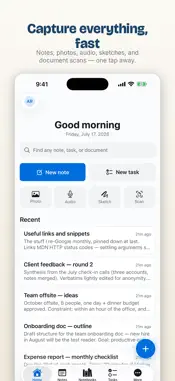
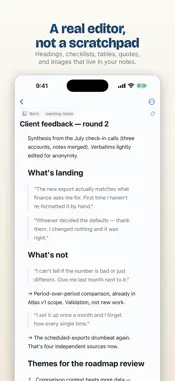
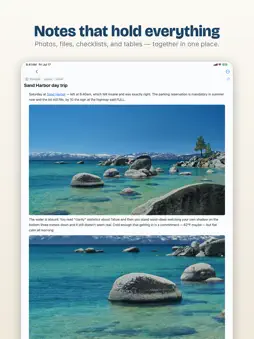
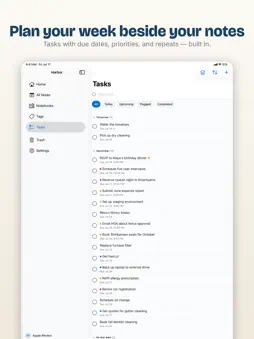
Harbor is your private second brain — a fast, native notes app for people who want to remember everything and own it for life. Capture notes, organize them into notebooks, tag anything, attach photos and files, scan paper documents, sketch ideas, and record voice memos. Then find any of it in seconds — Harbor's search even reads the text inside your images and scans. REMEMBER EVERYTHING • Rich notes with checklists, tables, images, links, and highlights • Notebooks and stacks that keep every part of your life organized • Tags that cut across notebooks • Tasks with due dates, right beside your notes • Scan documents with your camera; sketch with your finger or Apple Pencil • Voice memos and file attachments of every kind • Instant search across everything — including the text inside images and scans (OCR) YOURS, EVERYWHERE • Truly native apps for iPhone, iPad, and Mac — no web wrapper • Offline-first: your notes live on your device and sync automatically • The full web app at app.harbor.my from any browser • A web clipper that saves articles and pages straight into your notebooks PRIVATE BY DESIGN • No ads. No selling your data. No training AI on your notes. Ever. • Optional end-to-end encryption locks down your most sensitive notes so that no one — not even us — can read them • Export everything anytime in open formats. You are never locked in. SWITCHING FROM ANOTHER NOTES APP? Import your Evernote notebooks (.enex files) with the Mac or web app — your notebooks, tags, and attachments sync straight to your iPhone and iPad. SIMPLE, HONEST PRICING Harbor is free for up to 50 notes, 3 notebooks, and 20 tags — no credit card required. When you outgrow the free plan, Harbor Unlimited removes every limit: • $9.99/month or $99/year • Unlimited notes, notebooks, tags, tasks, and files • A written price-lock promise in our terms: your price won't go up for at least 3 years Subscriptions are billed to your Apple ID and renew automatically until cancelled at least 24 hours before the end of the current period. Manage or cancel anytime in your App Store account settings. And even if you stop paying, you can always read and export your notes — Harbor never holds your data hostage. Privacy Policy: https://harbor.my/privacy/ Terms of Use: https://harbor.my/terms/ Questions? A real person answers: [email protected]
What's New
Version 1.0.76 2026-11-02
• Tab indents. Press Tab to indent a paragraph, a heading, or lines in a code block. Shift+Tab moves it back. • Mac: press Esc, then Tab, to leave the note. • R... Technical Analysis
Package Overview Basic metadata
Bundle ID
my.harbor.app Current Version 1.0.76
Minimum iOS 18.0
Package Size App Store Size
Package Metadata 0 / 0 version records
Detailed binary, privacy manifest, framework, and Info.plist results have not been indexed for this package yet. The verified App Store and archive metadata above remains available.
Developer Information
Known Version Records
0 version records with stored package metadata
Stored metadata does not guarantee a package is currently available to download.
| Details | Version / IDs | Version date | Action |
|---|