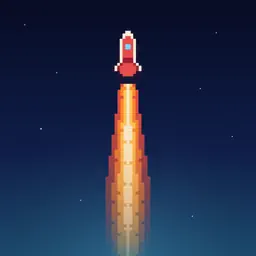
Preview


Description
T-Minus Zero: Thrust (formerly Touch Down: Rocket Landing) Guide your rocket to a perfect landing. Hold to thrust, release to fall. The challenge is knowing exactly when to do each. HOW TO PLAY Your rocket descends from the top of the screen under gravity. Tap and hold anywhere to fire your thrusters and slow your descent. Release to free fall. Touch down on the pad below 5 m/s to survive, and below 3 m/s for a perfect landing. Come in too fast and it's a crash. That's it. No tutorial needed. THE CHALLENGE Every landing is a precision problem. Gravity pulls you down constantly and your fuel is limited, so every burn counts. Burn too early and you'll coast in too fast. Burn too late and you won't have enough fuel to stop in time. The sweet spot is razor thin, and finding it is deeply satisfying. Your speed turns yellow as you approach the limit and red when the impact is going to hurt. The HUD also shows your altitude and the fuel you have left. OPERATIONS Take on a campaign of 18 missions in LAND and HOVER. Each mission has set conditions, such as a narrow pad, a sliding pad, crosswinds, gusts, a smaller tank or low gravity. Drag while you thrust to lean the rocket sideways when a mission needs it. Every mission has three challenges worth 10, 20 and 40 XP. Earn XP to rank up, open new operations and climb the Mission XP leaderboard. Missions use a fixed loadout, so everyone flies the same mission. ARCADE Land as gently as you can, or try HOVER: climb to a band of sky and stay inside it for as long as your fuel lasts. Every successful landing earns a Space Stone. Collect them to unlock permanent perks, spend them on new rockets with their own flames and trade-offs, and upgrade your rocket in the lab. Build a landing streak and share your best landing as a card. COMPETE Your personal best is saved on your device, and your scores go to Game Center leaderboards for the softest landing, the most touchdowns, the most landings in a row, the longest weekly hover and the most Space Stones collected. See how you stack up against players worldwide. Game Center sign-in is optional. OPTIONAL PURCHASES The game is free to play. You can buy the Fuel Optimizer, a one-off upgrade that cuts your fuel use, and packs of Space Stones to spend on rockets and upgrades. Purchased stones never count towards perks or the touchdowns leaderboard. Free players get a few boosted attempts every day. TIPS Don't burn immediately. Let gravity do the work for a few seconds, then use short controlled bursts to bleed off speed as you approach the pad. A long slow descent followed by one firm burst at the bottom is often cleaner than constant small burns from the top. Watch the speed, not the altitude. If the readout is yellow or red with half the altitude left, start thrusting now. Good luck. Land soft.
What's New
Version 1.7.0 2026-10-28
Daily rewards and new landing guides. NEW • Daily Rewards: check in each day to earn stones. Complete a short activity each weekday or open the app on Sunday, ... Technical Analysis
Package Overview Basic metadata
Bundle ID
com.cloudsciencestudio.apps.touch-down Current Version 1.7.0
Minimum iOS 17.6
Package Size App Store Size
Package Metadata 0 / 2 version records
Detailed binary, privacy manifest, framework, and Info.plist results have not been indexed for this package yet. The verified App Store and archive metadata above remains available.
Developer Information
Known Version Records
0 version records with stored package metadata • 2 known version records
Stored metadata does not guarantee a package is currently available to download.
| Details | Version / IDs | Version date | Action |
|---|---|---|---|
| Not archived | App Store ID: 886176688 | Unknown | Request Version |
| Not archived | App Store ID: 885963995 | Unknown | Request Version |