Preview






Description
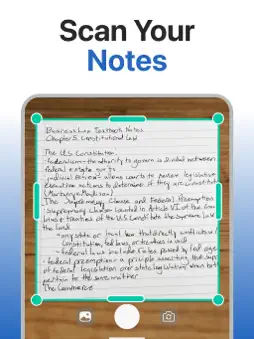
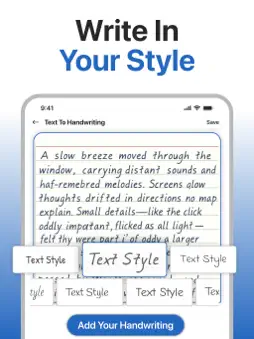
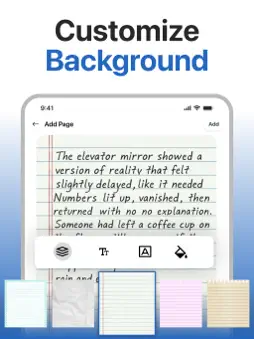
Text to Handwriting Converter is a powerful handwriting generator app that helps you convert typed text into realistic handwriting and also scan handwritten notes into editable digital text using advanced OCR technology. Text to Handwriting Converter Text to Handwriting is the core feature of this app. It allows you to easily convert typed or digital text into natural, realistic handwriting font styles. This feature is ideal for assignments, letters, applications, notes, and documents that need a handwritten look. Simply enter your text or upload files such as TXT, Word, or PDF, and the app will instantly convert text into handwriting. You can choose from multiple handwriting fonts, adjust font size, spacing, color, and page layout to match your personal handwriting style. After customization, download your handwritten document in just a few taps. Handwriting to Text Converter In addition to text to handwriting, the app also includes a Handwriting to Text converter powered by advanced OCR handwriting technology. This feature helps you extract text from images of handwritten notes, to-do lists, classroom notes, whiteboard content, forms, and documents. How to Use Text to Handwriting & Handwriting to Text App Steps to Use Text to Handwriting: • Enter typed text or upload a TXT, Word, or PDF file • Tap Convert Text • Instantly transform text into handwriting font style • Customize font, color, spacing, and page layout • Download your handwritten document Steps to Use Handwriting to Text: • Upload an image from the Gallery or capture handwriting using the Camera • Adjust the image using Crop, Rotate, or Flip tools • Tap Done to scan handwriting • The OCR text scanner will convert handwriting to text • Copy text, download as PDF, or save as a TXT file Key Features of Text to Handwriting Converter App Text to Handwriting Generator Convert typed text into realistic handwriting using multiple handwriting fonts. Advanced OCR Handwriting Scanner Accurately recognizes handwritten text from images and scans handwriting to text. Multiple File Support Supports TXT, DOC, and PDF uploads and downloads. Customization Options Edit handwriting font style, size, page design, spacing, and text color. Multilingual Support Supports multiple languages including English, Spanish, French, Portuguese, Turkish, Japanese, Indonesian, Arabic, and more. Why Choose Our Text to Handwriting App? • Create realistic handwritten assignments and documents • Save time and avoid manual handwriting • Secure and encrypted data handling • Free text to handwriting and handwriting to text conversion • Access conversion history anytime • Ideal for students, teachers, professionals, and data entry users Download Text to Handwriting Converter today and start creating realistic handwritten documents effortlessly. Privacy Policy: https://clixade.com/privacy-policy Terms and Conditions: https://clixade.com/terms-and-conditions
What's New
Version 1.1.2 2026-09-28
New page backgrounds — write on a bigger library of paper styles and page designs • New handwriting styles — more fonts to make every note feel like your own • ... Technical Analysis
Package Overview Basic metadata
Bundle ID
com.textreverse.texttohandwritng Current Version 1.1.2
Minimum iOS 15.6
Package Size App Store Size
Package Metadata 0 / 5 version records
Detailed binary, privacy manifest, framework, and Info.plist results have not been indexed for this package yet. The verified App Store and archive metadata above remains available.
Developer Information
Known Version Records
0 version records with stored package metadata • 5 known version records
Stored metadata does not guarantee a package is currently available to download.
| Details | Version / IDs | Version date | Action |
|---|---|---|---|
| Not archived | App Store ID: 881879311 | Unknown | Request Version |
| Not archived | App Store ID: 864072387 | Unknown | Request Version |
| Not archived | App Store ID: 859174025 | Unknown | Request Version |
| Not archived | App Store ID: 858846649 | Unknown | Request Version |
| Not archived | App Store ID: 847841699 | Unknown | Request Version |