Preview


Description
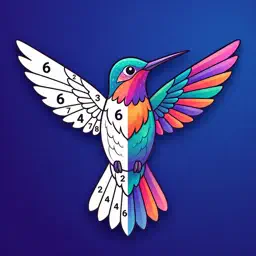
Colorbits turns numbered pictures into quiet, satisfying coloring sessions. Pick a shade, tap the matching regions, and watch the artwork appear on a canvas that stays perfectly smooth, even on pieces with thousands of shapes. It works fully offline, and there are no ads anywhere. FOR ADULTS - Symmetrical patterns, ornaments, art deco botanicals, and night city scenes with up to 4,000 regions - A precision magnifier lifts above your finger, so tiny shapes are easy to hit - Dark theme and gentle haptics for late-night sessions - Save finished pieces as sharp 2048 px images or share a completion card FOR KIDS - Bigger numbers, forgiving taps, and a small celebration for every finished shade - Wrong taps are never punished: a gentle shake, and you keep going - Four difficulty levels, from age 6 up, switchable any time - No chat, no purchases, and no links to tap by accident TURN YOUR PHOTOS INTO COLORING PAGES - Convert any photo into numbered art, entirely on your iPhone - Pick pixel or classic style, 12 to 48 colors, and three detail levels - Your photos never leave your device - Recolor the same photo with new settings whenever you like PIXEL ART AND CLASSIC PAGES - 20 original artworks included, all open from the first launch - Crisp pixel grids, from quick 24x24 sprites to a 96x96 night city - Classic pages that feel like a printed coloring book - Progress saves as you go, so you can close mid-piece and resume days later MADE TO BE CALM - No ads, no accounts, and no tracking of any kind - Offline in the full sense: it never needs a connection - Color-blind friendly, with patterns and color names on every swatch - Finish a piece, then replay it as a timelapse and share the result Every tap answers instantly with a soft tick and a spreading fill. Fill quickly and the sounds climb a musical scale. Small things, but they are why sessions run long. One app for the whole family: a seven-year-old and a night-owl adult can color side by side, each with a difficulty setting that fits, and neither feels the app was made for the other. Download Colorbits and make coloring your calmest few minutes of the day. No signup, no waiting: just pick a picture and start.
What's New
Version 1.0.4 2026-11-05
Colorbits has a fresh new look! We've redesigned key parts of the app, so everything feels cleaner from the moment you open it. • New main screen: A refreshed...Colorbits has a fresh new look! We've redesigned key parts of the app, so everything feels cleaner from the moment you open it. • New main screen: A refreshed design greets you as soon as you open the app, with a cleaner layout that's simple to get around. • Updated drawing pages: Your drawing pages have a new look, giving you a more pleasant space to focus on your art. • Redesigned hints: Hints have a fresh style that's clear and easy to follow, so help is easy to use when you need it. Update now to see the new Colorbits! Technical Analysis
Package Overview Basic metadata
Bundle ID
com.cleveroad.color-by-number Current Version 1.0.4
Minimum iOS 15.0
Package Size App Store Size
Package Metadata 0 / 0 version records
Detailed binary, privacy manifest, framework, and Info.plist results have not been indexed for this package yet. The verified App Store and archive metadata above remains available.
Known Version Records
0 version records with stored package metadata
Stored metadata does not guarantee a package is currently available to download.
| Details | Version / IDs | Version date | Action |
|---|