Preview



Description
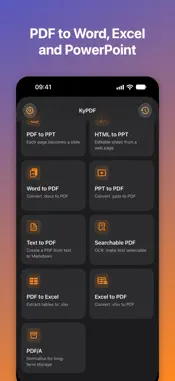
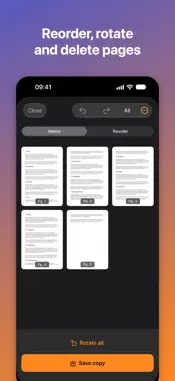
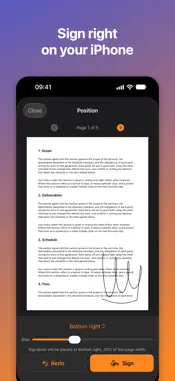
KyPDF brings more than 30 PDF tools to your iPhone: convert, edit, sign, compress and organize, all done on the device itself. No file is uploaded to any server. There is no account, no login and no ads, and the app collects no data. CONVERT • PDF to Word, PowerPoint and Excel, and back to PDF • HTML to PowerPoint, with editable slides • PDF to PNG or JPG images • Searchable PDF with text recognition (OCR) done on the device • PDF/A for archiving CAPTURE AND CREATE • Scan documents with the camera • Turn photos into a PDF • Create a PDF from text, with bold, italic, lists and alignment, or from Markdown EDIT AND ORGANIZE • Merge, split, reorder, rotate, duplicate and delete pages, with undo • Review each file before a split is saved • Compress to reduce file size • Sign, watermark, header and footer, page numbers and crop • Extract pages and images, 2 or 4 pages per sheet, booklet and grayscale PROTECT • Add or remove a password • Redact: permanently cover sensitive data • Edit or clear metadata READ • Listen to your PDF read aloud MADE FOR IPHONE • Everything works without an internet connection • Light and dark mode • Text that follows the size you set on your iPhone, VoiceOver and Reduce Motion KYPDF PRO Without a subscription you get unlimited use of the scanner, Text to PDF, metadata, read aloud and history, and 3 uses per week of every other tool. KyPDF Pro unlocks the conversions to and from Word, PowerPoint and Excel, HTML to PowerPoint, searchable PDF and PDF/A, and removes the limit on every tool. Monthly or annual subscription, with 1 week free if you have not used the trial yet, or a lifetime purchase (one-time payment). KyPDF works entirely on your device and never uploads your files. Conversions and text recognition reconstruct content and can differ from the original, and redaction and password protection are tools, not a guarantee: check the result before sharing a document that matters. Keep your own backup of anything you cannot afford to lose. Payment is charged to your Apple Account at confirmation of purchase. Subscriptions renew automatically unless canceled at least 24 hours before the end of the current period; manage or cancel in your App Store account settings. Privacy Policy: https://devbertini.github.io/kypdf/privacy/ Terms of Use (EULA): https://devbertini.github.io/kypdf/terms/
What's New
Version 1.1.1 2026-10-05
KyPDF can now be used from start to finish with VoiceOver. Home tools are read in order, each with its remaining uses; Signatures can be drawn with VoiceOver o...KyPDF can now be used from start to finish with VoiceOver. Home tools are read in order, each with its remaining uses; Signatures can be drawn with VoiceOver on; Decorative icons are no longer read by VoiceOver; Performance adjustments and visual improvements were also made. Technical Analysis
Package Overview Basic metadata
Bundle ID
devBertini.KyPDF Current Version 1.1.1
Minimum iOS 18.0
Package Size App Store Size
Package Metadata 1 / 2 version records
Detailed binary, privacy manifest, framework, and Info.plist results have not been indexed for this package yet. The verified App Store and archive metadata above remains available.
Developer Information
Known Version Records
1 version record with stored package metadata • 2 known version records
Stored metadata does not guarantee a package is currently available to download.
| Details | Version / IDs | Version date | Action |
|---|---|---|---|
| 4.0 MB | v1.0.1 App Store ID: 887061598Build: 1.0.1 | 2026-06-17 20:00:09 | Get Version |
| Not archived | App Store ID: 886619736 | Unknown | Request Version |