Preview


Description
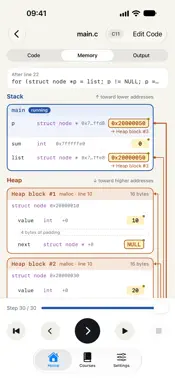
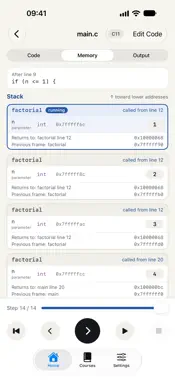
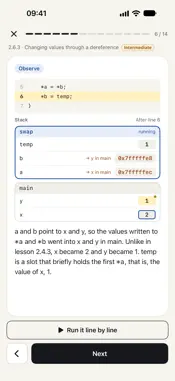
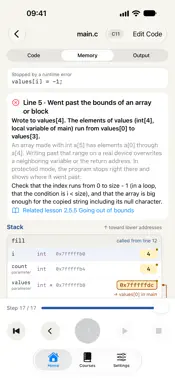
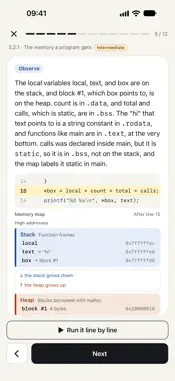
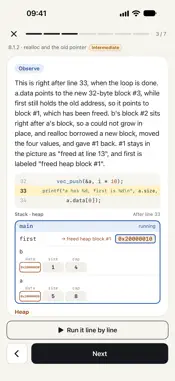
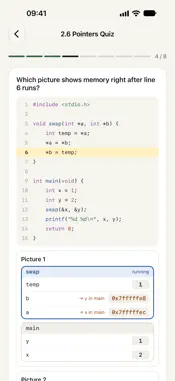
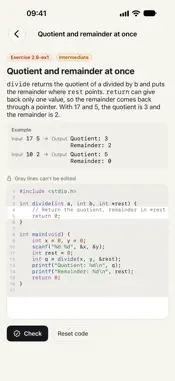
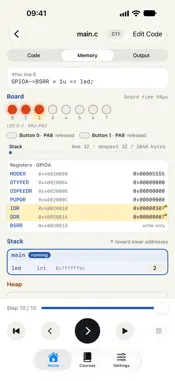
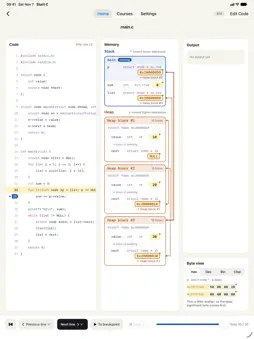
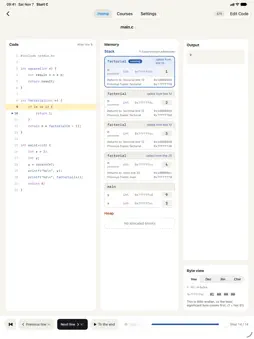
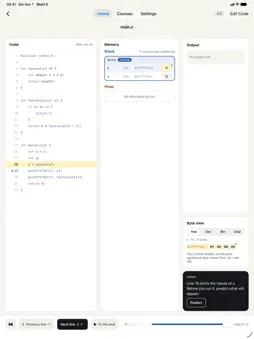
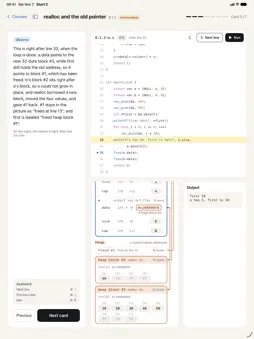
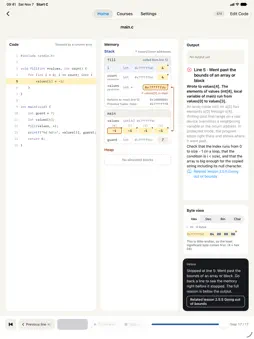
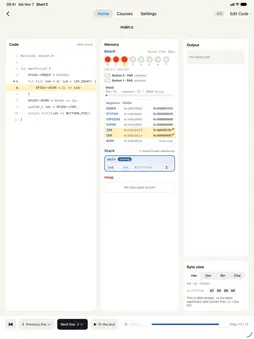
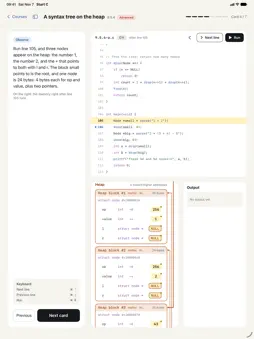
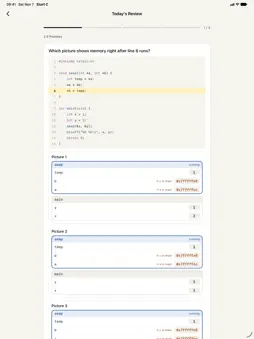
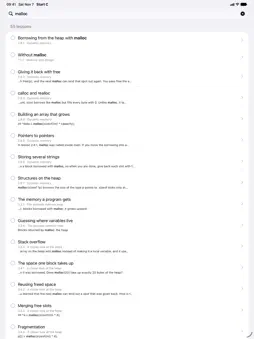
Learn C by running code one line at a time and watching memory change. Pointers are hard because you cannot see them. Each time you run a line, this app draws the stack frame of each call, the variables inside it, the heap blocks you borrow with malloc, and where each pointer points. The last changed value turns yellow, and you can step back to see it again. Step through and rewind - Run to the next line, a breakpoint, or the end, or step back a line - Watch frames pile up when a function is called and disappear when it returns - Pointers are arrows, arrays are rows of slots, and structs show their members and padding - Tap a variable to see its bytes in hex, decimal, binary, or characters - Set scanf input, arguments, and files before you run, and see what your program read and wrote - Write your own headers and link several .c files, as in real C - Processes and threads appear in tables, with each process's memory, pipes, and sockets drawn - A virtual microcontroller board shows its LEDs, buttons, registers, and terminal 10 tracks and two appendices, 447 lessons - Track 0 First steps in programming — hardware, operating systems, bits and files, algorithms, and bugs (20 lessons) - Track 1 Programming basics — values, conditions, loops, and functions (16 lessons) - Track 2 The C language — printf to pointers, structs, dynamic memory, file I/O, and function pointers (68 lessons) - Track 3 Memory essentials — bits and bytes, the memory map, the stack and the heap, and memory bugs (33 lessons) - Track 4 Executable essentials — compiling and linking, assembly, object files, and executable formats (36 lessons) - Track 5 Capstone projects — a string processor, a linked list, a memory allocator, an RPN calculator, and a word counter (27 lessons) - Track 6 Systems programming — fork, pipes, threads, shared memory, sockets, and poll, then a work queue and a chat room (51 lessons) - Track 7 C for embedded development — registers, GPIO, timers and PWM, interrupts, UART, and flash and RAM on a virtual board (42 lessons) - Track 8 Data structures in C — growing arrays, generic containers, hash tables, balanced trees, tries, and graphs, then an LRU cache (33 lessons) - Track 9 Building a language in C — what C promises, undefined behavior, closures and exceptions in C, garbage collection, and a bytecode VM (35 lessons) - Appendix A Computing and the lineage of C — computing history up to C and what C89 to C23 changed (51 lessons) - Appendix B Computer science beyond C — algorithms, the CPU, the OS, networks, and the limits of computation (35 lessons) Lessons are short cards with examples you run in place, marked beginner, intermediate, or advanced. Each module has a quiz, track modules have auto-graded exercises with hints, and each track ends with a final quiz. A placement quiz suggests where to start, with Track 0 for new programmers. Errors explained - Errors and warnings are caught where clang catches them, with an explanation, a fix, and a related lesson - Out-of-bounds writes, use after free, double frees, and leaks stop or warn where they happen, with what real C would do - Data races, deadlocks, and phone typos like curly quotes are flagged too Like real C - Supports C99 and C11 - Hundreds of test programs match clang on a Mac, down to the exit status - Files live in a virtual file system inside the app - Processes, sockets, and the virtual board run inside the app; networking is loopback only, and no real hardware is touched On your device, with no internet A C interpreter built into the app runs everything on your device. Progress syncs through your own iCloud. There are no ads. Start for free All of Tracks 0 and 1, the first module of Tracks 2 to 9, and both appendices are free. The other modules open with a one-time purchase per track, which also opens modules added in later updates. One purchase works on both iPhone and iPad. On iPad, code, memory, and output sit side by side, and you can open several windows.
What's New
Version 1.9.0 2026-11-07
What's new in 1.9.0 - Write your own header files in the playground and include them with #include "point.h". Add a header in the Files section and tabs for ma... Technical Analysis
Package Overview Basic metadata
Bundle ID
kr.cksw.cprogrammer.start Current Version 1.9.0
Minimum iOS 18.0
Package Size App Store Size
Package Metadata 0 / 0 version records
Detailed binary, privacy manifest, framework, and Info.plist results have not been indexed for this package yet. The verified App Store and archive metadata above remains available.
Developer Information
Known Version Records
0 version records with stored package metadata
Stored metadata does not guarantee a package is currently available to download.
| Details | Version / IDs | Version date | Action |
|---|