Preview




Description
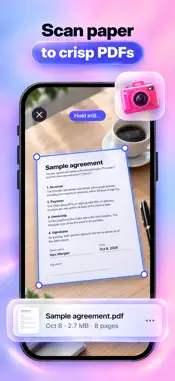
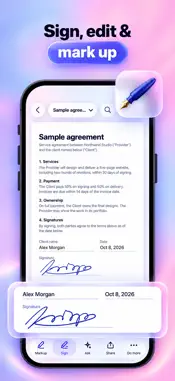
PDF Studio turns your iPhone and iPad into a complete PDF office. Convert PDF to Word, sign and fill forms, scan paper, compress big files and edit the text inside a PDF – then see the finished result before you save or share it. USE IT WHEN YOU NEED TO • Sign a contract or permission slip someone just emailed you • Turn a PDF into an editable Word document, or a Word file into a PDF • Shrink a large PDF so it fits as an email attachment • Scan receipts, notes or forms and keep them as one searchable PDF • Fix a typo in a PDF you received without asking for the original file CONVERT • PDF to Word, Excel or PowerPoint • Word, Excel or PowerPoint to PDF • Photos to PDF: up to 50 images, A4 or Letter, portrait or landscape • PDF to JPG or PNG images, by page or as one long image • PDF to plain text you can edit before saving • Text, a web page or a blank page to a new PDF SIGN & FILL • Draw your signature, capture it with the camera or import it from a photo • Clean up the background, change the ink color and keep a signature library • Fill in form fields: text, checkboxes, radio buttons and choice lists • Add text and today's date anywhere on the page EDIT & ANNOTATE • Edit the original text of a PDF: font, size, bold, color and alignment • Highlight, underline or strike through text • Draw with pen and marker, with Apple Pencil support • Add shapes, stickers, comments and images • Undo and redo every change ORGANIZE PAGES & FILES • Combine 2 to 20 PDFs and images into one file • Split a PDF, extract pages, reorder, rotate, delete or insert pages • Compress PDFs with three quality levels and a size estimate before you start • Add or remove a password and add a text or image watermark • Restore an earlier version after a big change SCAN & SEARCH • Scan paper documents with the camera, up to 50 pages at a time • Crop, rotate and filter each page • Make scanned pages searchable with on-device text recognition ASK & SUMMARIZE • Ask questions about a document or get a quick summary • Runs on device with Apple Intelligence on supported devices; otherwise it uses a server only after you agree WORKS WHERE YOU ARE • Share sheet actions: sign, compress or convert a file straight from Mail, Files or Safari • Shortcuts and Siri for your everyday PDF jobs • iCloud Drive sync across your devices • Wi-Fi transfer to your computer, protected by a one-time PIN • iPad: sidebar, Split View, drag and drop and keyboard shortcuts • Light and dark mode, 19 app languages SUPPORTED FILES Open PDF, Word (DOC, DOCX), Excel (XLS, XLSX), PowerPoint (PPT, PPTX), TXT and images (JPG, PNG, HEIC). Save as PDF, DOCX, XLSX, PPTX, JPG, PNG or TXT. PRIVACY No account needed, no ads and no tracking. Scanning, compression, text recognition, signing and editing run on your device. Office conversions are processed on our server only after you agree, and the files are deleted after processing. Open a PDF and finish the job in a few taps. Terms of Use: https://www.apple.com/legal/internet-services/itunes/dev/stdeula/ Privacy Policy: https://chuminhson.netlify.app/policy
What's New
Version 1.0.1 2026-10-28
Update UI Technical Analysis
Package Overview Basic metadata
Bundle ID
com.tiny.pdf.studio.editor.scanner Current Version 1.0.1
Minimum iOS 15.0
Package Size App Store Size
Package Metadata 0 / 1 version records
Detailed binary, privacy manifest, framework, and Info.plist results have not been indexed for this package yet. The verified App Store and archive metadata above remains available.
Developer Information
Known Version Records
0 version records with stored package metadata • 1 known version records
Stored metadata does not guarantee a package is currently available to download.
| Details | Version / IDs | Version date | Action |
|---|---|---|---|
| Not archived | App Store ID: 885959116 | Unknown | Request Version |