Preview









Description
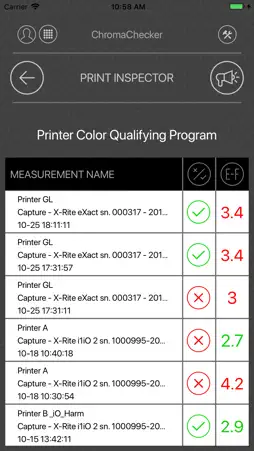
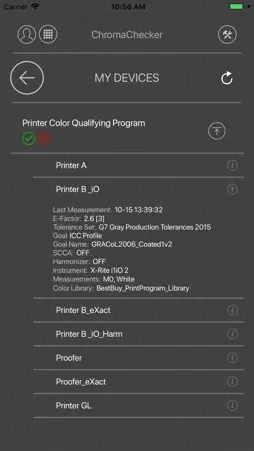
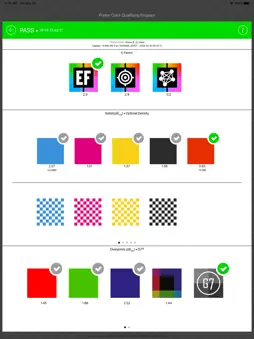
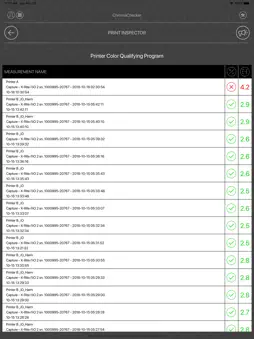
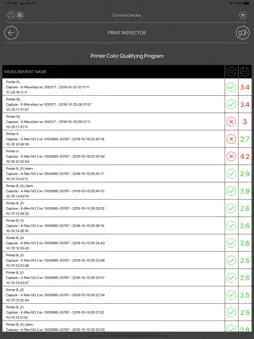
ChromaChecker™ Connect Take advantage of the portability of the iPhone and remotely get access to your ChromaChecker Color Conformance Platform. Welcome to Print Industry Revolution 4.0 CC Connect Version 1.0 tools: Print Inspector – Receive real-time reports on how your output devices are manufacturing color (conformance and process control reports) with support for CMYK, Hi-Fi, ECG, Spots, G7 conformance details and much more. Print Inspector is the flagship Inspector inside the ChromaChecker solution – CC Connect makes it more powerful. Ink density information may help an operator make an instant correction. Dual reporting: E-Factor and Pass/Fail process control examination based on customizable tolerances lifts printing company to a higher level of management with production salability monitoring. Assign the Device – Allows operators to log on as an operator for any of the devices that they are responsible for. This feature helps to recognize who is operating the printing device, to better report how each operator is performing related to making the device adhere to desired color standards. Event Manager – Log maintenance events that operator performs on a device – events are dependent on print technology, i.e. inkjet event includes head cleaning, the sheetfed press includes cleaning cyan blanket. Now an operator can report problems in a very easy way. All events will be presented on a timeline. My Devices – see the structure of tracks with detailed technical specification and check any of the last 50 measurements made for the given output device Operators and Managers can be configured to only see the printers that they are responsible for, no more. ChromaChecker™ Connect creates a remote picture of your Print Production. This can also be configured to show customers specific printing conditions that they are very interested in. How to? In order to take advantage of ChromaChecker Color Conformance Platform, an active subscription is required. The user may collect production data in various ways: Most open architecture automatic measurements systems can be integrated with ChromaChecker Cloud using our ChromaChecker Uploader App (Windows or Mac OS). A lot of systems like X-Rite IntelliTrax, Techkon SpectraDrive with Expresso, Heidelberg Image Control with Quality Monitor, EFI Fiery XF, Measure Color, GMG Proofing, Oris CGS Proofing, Quad Tech SpectralCam, X-Rite Color Cert, Spot On, PrintFlow, Press Sign, and much more can work this way. 95% of the install base of common instruments can be driven directly by ChromaChecker Capture App (Windows or Mac OS) - real-time reporting and numerous unique features make this solution the easiest method for operators of any skill level to measure and report color conformance. Over ten manufacturers have integrated the ChromaChecker API and offer factory integration with ChromaChecker Cloud - e.g. HP Indigo with Color Beat. The user may manually upload files from any 3rd party application that support one of many data exchange formats (CGATS, XML, CxF, SVF, It8, …) or create hot folders (using CC Uploader) Expect more We are working on more tools that will be implemented into ChromaChecker Connect _________ *mac only
What's New
Version 1.1.0 2021-07-28
CC Connect includes the user guide for the new ChromaChecker E-Factor (based on a type of delta E) exercise and sampler which works with the E-Factor hard copy ... Technical Analysis
Package Overview Package analysis available
Bundle ID
com.ChromaChecker.Handy Current Version 1.1.0
Minimum iOS 13.0
Package Size App Store Size
Package Metadata 0 / 5 version records
AMPopTip
org.cocoapods.AMPopTip v4.4.0iOS 13.0+180.57 KB
DZNEmptyDataSet
org.cocoapods.DZNEmptyDataSet v1.8.1iOS 13.0+111.38 KB
KeychainAccess
org.cocoapods.KeychainAccess v4.1.0iOS 13.0+266.33 KB
McPicker
org.cocoapods.McPicker v2.0.1iOS 13.0+140.85 KB
Realm
org.cocoapods.Realm v4.3.2iOS 13.0+5.54 MB
RealmSwift
org.cocoapods.RealmSwift v4.3.2iOS 13.0+414.22 KB
SwiftyJSON
org.cocoapods.SwiftyJSON v4.3.0iOS 13.0+214.83 KB
SWXMLHash
org.cocoapods.SWXMLHash v5.0.1iOS 13.0+191.82 KB
Developer Information
Known Version Records
0 version records with stored package metadata • 5 known version records
Stored metadata does not guarantee a package is currently available to download.
| Details | Version / IDs | Version date | Action |
|---|---|---|---|
| Not archived | App Store ID: 843255016 | Unknown | Request Version |
| Not archived | App Store ID: 834978230 | Unknown | Request Version |
| Not archived | App Store ID: 834880797 | Unknown | Request Version |
| Not archived | App Store ID: 829661917 | Unknown | Request Version |
| Not archived | App Store ID: 828224408 | Unknown | Request Version |