Preview




Description
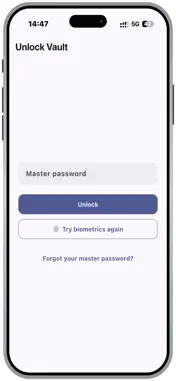
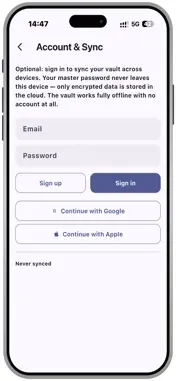
MySecureVault is a zero-knowledge password manager: your master password never leaves your device, is never transmitted anywhere, and is never stored anywhere — not even by us. Only you can ever unlock your vault. KEY FEATURES Zero-Knowledge Security Your master password derives your encryption keys on-device using Argon2id and is never sent anywhere. Every item is protected by two independent layers of encryption — a fully encrypted local database plus AES-256-GCM encryption on each individual entry. Biometric Unlock Unlock with Face ID, Touch ID, or your fingerprint. Your master password is cached only inside your device's secure hardware-backed storage, gated behind that same biometric check — so you're only asked for it again if biometrics fail or you turn the feature off. Built-In Password Generator Create strong, unique passwords in seconds. Choose your length and mix of uppercase, lowercase, numbers, and symbols. Store More Than Passwords Save logins, secure notes, documents, and photos side by side — organized with categories, folders, and tags so everything stays easy to find. Autofill Everywhere Log in instantly with Autofill, so you never have to copy and paste a password again. Optional Encrypted Cloud Sync Create an account to sync your vault across devices. Everything is encrypted on your device before it's ever uploaded — our servers only ever see ciphertext, never your keys or your data. Encrypted Backups Export an encrypted backup of your vault any time, and restore it on any device with your master password. Device Security Monitoring MySecureVault checks for signs of a compromised device — jailbreaking, rooting, or tampering — and blocks access to protect your vault if one is found. No Ads. No Tracking. No Analytics. MySecureVault contains no advertising, no analytics SDKs, and no third-party trackers of any kind. We built it to protect your data — including from us. Whether you're securing your first password or migrating your entire digital life, MySecureVault gives you bank-grade encryption with a simple, modern design — built on a single principle: what's yours stays yours.
Technical Analysis
Package Overview Basic metadata
Bundle ID
com.cjdesigns.mySecureVault Current Version 1.1
Minimum iOS 15.0
Package Size App Store Size
Package Metadata 0 / 0 version records
Detailed binary, privacy manifest, framework, and Info.plist results have not been indexed for this package yet. The verified App Store and archive metadata above remains available.
Known Version Records
0 version records with stored package metadata
Stored metadata does not guarantee a package is currently available to download.
| Details | Version / IDs | Version date | Action |
|---|