Preview



Description
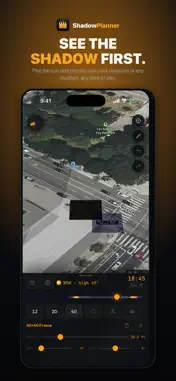
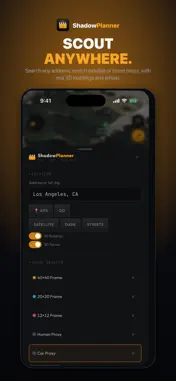
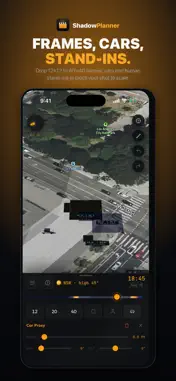
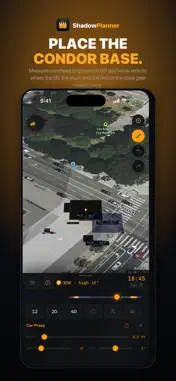
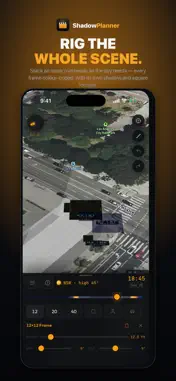
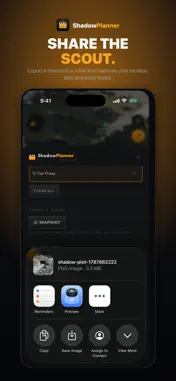
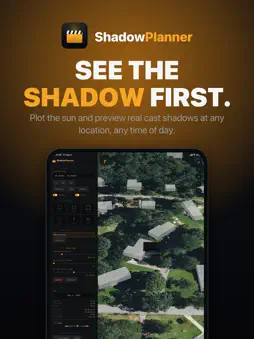
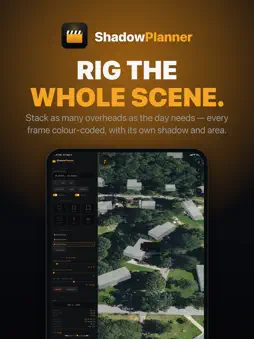
Scout the light before you get there. Shadow Planner puts a real sun on a real map. Drop your overheads on the actual location, scrub the day from sunrise to sunset, and watch true cast shadows fall across the ground in 3D — so you know what you're walking into before the truck rolls, and so does everyone you hand the page to. SCOUT ANY LOCATION • Search an address or drop straight onto your GPS position • Satellite, street and dark map styles • Real 3D buildings and terrain, so shadows fall off the geometry that's actually there • Live sun compass with azimuth and altitude KNOW WHEN YOU LOSE THE LIGHT • Sunrise, solar noon, sunset, golden hour and civil dusk for any date and any location, with the day's length • Tap any spot for a shade timeline: when it holds direct sun and when it goes into shade, across the whole day • See the sun's path arced over the map — amber where your spot has sun, blue-grey where something blocks it, so you can watch the moment the sun clears a roofline • Reads the buildings and terrain actually around it, plus your own overheads BLOCK THE SHOT TO SCALE • Drop 12x12, 20x20 and 40x40 frames, or set your own custom size • Dial height above ground, spin and tilt on every frame • Add vehicles and human stand-ins for scale • Stack as many objects as the day needs — each one colour-coded, with its own cast shadow and the area it covers SEE THE WHOLE DAY MOVE • Scrub sunrise to sunset and watch every shadow track with the sun • Pick any date and check the light for a shoot weeks out • Stand-ins and vehicles dim when they fall inside a frame's shadow MEASURE THE RIG IN 3D • Tap two points for a true diagonal distance — overhead down to ground • Know exactly where the base, the truck and the crew gear have to land • Measurements stay locked to a frame, so they update as you raise or move it • Matching gear ranges for the distance you measured, from a PeeWee dolly to a 120' Condor FEET OR METRES • One switch converts every height, span, distance and shadow area, and the gear ranges with them • Gear and frame names stay as the industry says them — a 12x12 is still a 12x12, a Condor 40' is still a Condor 40' • Your choice is remembered between sessions TAKE IT BACK TO THE OFFICE • Save a location by name with its camera angle, date, time, every frame, the measurement and the shade you picked — long-press to rename • Six stops in a day, all still there tomorrow • Export a letter-size page carrying the location, date, time, sun position, sunrise and sunset, the rig you had up, and the lift sizes that reach — so the gaffer, the AD and the office are all reading the same sheet • Same page on every device, straight to Photos, Files or Messages • On iPad, drag the menu panels into the order you work in • Full undo and redo Built by a working cinematographer for tech scouts, gaffers, grips, DPs, location managers and anyone who has ever guessed where the shadow would be. No account. No subscription. No tracking.
What's New
Version 1.5 2026-09-05
• Sun path. The sun's track arcs over the map — amber where your spot holds sun, blue-grey where a building blocks it. The beads are hours; the big one is the t... Technical Analysis
Package Overview Basic metadata
Bundle ID
com.chrisfenner.ShadowPlanner Current Version 1.5
Minimum iOS 17.0
Package Size App Store Size
Package Metadata 0 / 0 version records
Detailed binary, privacy manifest, framework, and Info.plist results have not been indexed for this package yet. The verified App Store and archive metadata above remains available.
Developer Information
Known Version Records
0 version records with stored package metadata
Stored metadata does not guarantee a package is currently available to download.
| Details | Version / IDs | Version date | Action |
|---|