
Preview




Description
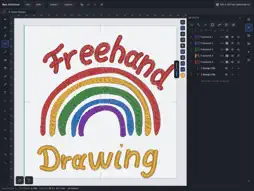
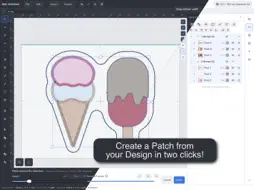
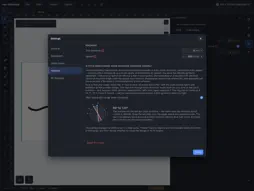
Beh.Stitched creates embroidery files on your iPad. Import an image, draw with Apple Pencil or edit your own shapes. Drawing, saving projects and previewing are free. Each Apple account gets five free machine-file exports shared across its iPads. After that, machine export requires a license. Drawing and colours • Convert PNG/JPG into colour areas, running-stitch lines or redwork; import SVG and DXF vector shapes. • Edit nodes and curves, split or combine shapes. Choose from 18 shapes, including heart, crescent, pie sector and trapezoid, with shape-specific controls. • Choose the drawing colour in advance, replace project colours and save your palettes as templates. • Choose threads by manufacturer, range and number, or find matching suggestions. Historical subsets of Isacord 40 and SULKY 40 are included. Compare screen colours with the actual thread. • Create linked mirrored copies and arrange objects in rows, along paths or around a pivot. Stitches, quilting and ITH • Satin, fill, running stitch and appliqué with underlay, spacing and pull compensation. • Ten fill patterns and 13 quilting line patterns. Draw satin lines with width profiles up to 8 mm; supported pens can control width through pressure. • Sew in-the-hoop projects: flat or stuffed turned pieces, exposed edges and overlapping backs, with seam allowance, material pauses and worksheets. Lettering • Import your TTF/OTF files and use available installed iPad fonts. Imported files remain stored independently of the favourite star. • Import pre-digitised embroidery fonts, including multicolour fonts, from ZIP and BX. Original sizes and stitch commands are retained. • Adjust character mapping, baseline and spacing; place text on paths and insert symbols using the glyph browser. Checking and output Inspect stitch order, jumps, trims, colour changes, needle points and density. Route optimisation preserves required overlaps. Optional position compensation estimates fabric pull and offsets later stitch paths; check its effect on a test piece. Split large designs across hoops, create worksheets and colour charts, or save the stitching process as a film. Export DST, EXP, PES, JEF, VP3, XXX, TAP, SVG and DXF. Edit DST, EXP, PES, JEF and TAP in the stitch-file editor. Save in Files, iCloud Drive or accessible external storage. Send to Device transfers a copy directly to an open device on the same local network using the same account. Projects with thread details or new shape parameters require Beh.Stitched 1.0.14 or later. Licenses and account Personal and commercial licenses are one-time purchases. Personal use means no income from embroidery files or embroidered goods. A commercial license allows use with income and includes batch export of all machine formats. SVG/DXF and saving films or pictures require a license. An upgrade from personal to commercial is available. The five free exports require internet access and iPadOS 16.3 or later. No account is needed for them. The optional Beh.Stitched account connects verified purchases across iPad, Windows and Mac. Personal licenses allow three computers, commercial licenses five; your own iPads do not use computer places. Sign in with an email code, optionally with an authenticator app. Manage devices and delete your account in Settings. No tracking. Designs and images are not sent to our server. The server manages the free export allowance and, when you use the optional account, sign-in, purchases and devices.
What's New
Version 1.0.15 2026-11-04
• PES files import with the correct colours in Brother Artspira. • Connected symmetry shapes with a selectable drawing region. • Automatic motif assignment for ... Technical Analysis
Package Overview Basic metadata
Bundle ID
com.behpunktdesign.behstitched Current Version 1.0.15
Minimum iOS 15.0
Package Size App Store Size
Package Metadata 0 / 0 version records
Detailed binary, privacy manifest, framework, and Info.plist results have not been indexed for this package yet. The verified App Store and archive metadata above remains available.
Developer Information
Known Version Records
0 version records with stored package metadata
Stored metadata does not guarantee a package is currently available to download.
| Details | Version / IDs | Version date | Action |
|---|