
Preview







Description
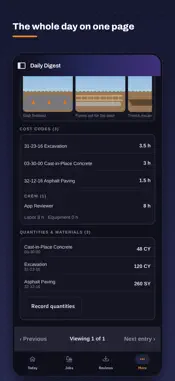
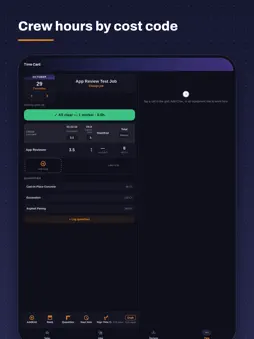
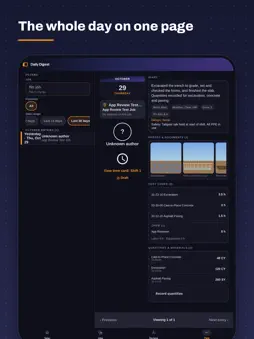
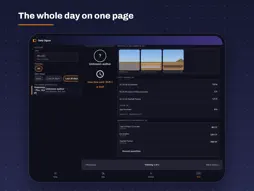
TradeFlo Pro is the field app for the crew lead. Open it at the truck, work it with gloves on, close it out before you drive home. Everything you enter lands in the office the same minute, coded to the right job and cost code. TODAY, ONE TAP AWAY Pick the job once. The home screen shows the date, who is on the clock and the four things you do every day: Time Clock, Time Card, Daily Report, Log Expense. Spanish and English, light and dark modes. TIME CARD BY CREW AND COST CODE One grid: your crew down the side, the cost codes you worked across the top, hours in the cells. Punch time and allocated time sit side by side, so an under-allocated worker or a missing lunch shows up before the office sees it. Yesterday not signed? The card tells you and opens it. LOG WHAT WENT IN TODAY Tap the quantities you installed. The app suggests numbers from the hours your crew ran, the GC schedule and what the same crew did on past jobs, so a 6" DIP day looks like 30 / 55 / 80 LF, not a blank box. Pick one, or type your own. Progress against the bid quantity updates as you go. DAILY REPORT IN MINUTES Work diary and JSA on one screen. Hold to talk and the report writes itself. A quality meter shows what the office needs: quantities, equipment used, delays. Yesterday's report prefills today's. PHOTOS FILED TO THE JOB Take or choose photos; they file by job and day. Site photos are stamped with the job, your name, GPS and time, the same way HeavyJob did it. THE WHOLE DAY ON ONE PAGE The daily digest shows the diary, the crew hours by cost code, equipment hours, photos and quantities for any day, with the GC schedule items that were due. Swipe back through the job's history. BILLS AND EXPENSES FROM THE TRUCK Vendor bills assigned to you show the invoice, the job and the coding. Approve, send back or ask a question. Log an expense with a photo of the receipt and the card you paid with. WORKS WITH THE TOOLS YOU ALREADY USE Crew punches from ExakTime, cost codes and budgets from HeavyBid, history from HeavyJob, equipment hours from the trackers on the machines, payroll to ADP, costs to Sage. Sign in with your company Microsoft account, or with the crew PIN your office gives you. TradeFlo Pro is sold to contractors by subscription. Ask your office for a login.
What's New
Version 1.3.1 2026-11-02
Field app rebuilt around the way a foreman works: • New home screen: job and date strip, big icon grid, Spanish/English • Time card grid: crew × cost code with ...Field app rebuilt around the way a foreman works: • New home screen: job and date strip, big icon grid, Spanish/English • Time card grid: crew × cost code with punch vs allocated hours and a fix list • Log quantities: suggestions from crew hours, the GC schedule and past jobs • Daily digest: diary, crew hours, equipment, photos and quantities on one page • Daily report: hold-to-talk, quality meter, yesterday prefill • Photos stamped with job, name, GPS and time • Bills assigned to you, approve or send back from the phone Technical Analysis
Package Overview Basic metadata
Bundle ID
com.trade-flow.app Current Version 1.3.1
Minimum iOS 16.4
Package Size App Store Size
Package Metadata 0 / 0 version records
Detailed binary, privacy manifest, framework, and Info.plist results have not been indexed for this package yet. The verified App Store and archive metadata above remains available.
Developer Information
Known Version Records
0 version records with stored package metadata
Stored metadata does not guarantee a package is currently available to download.
| Details | Version / IDs | Version date | Action |
|---|