
Preview


Description
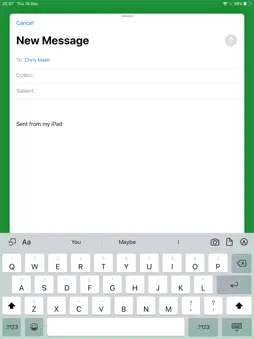
This app is not ground breaking and may be of no use to anyone but me! It's a great opening line and if you haven't hit install yet there's nothing that will make you do it! I send myself emails to remember to do tasks, am I alone in that? Perhaps... But this app saves me 'precious' seconds by cutting out some of the unnecessary steps with mail apps, simply because the sole purpose of this app is to quickly send an email, nothing more, nothing less! This app doesn't receive mail, it's merely a shortcut to send an email from whichever email accounts you've already got setup in iOS. Features: - App opens with the 'mail compose' screen displayed automatically - You can setup one or many default email addresses that will pre-populate the 'mail compose' screen - You can setup a default subject (maybe "TODO: " so the email is easy to spot or filter in your inbox) - Because the app merely sends the email content off to the Mail app to be sent you can use it offline and the Mail app will handle sending it whenever you get a connection - There's share functionality so you can quickly email files, pictures, links, text etc. from other apps that support sharing or 'Open in...' - Or you can quickly take a photo in the app and get it sent out sharpish!
What's New
Version 2.2.0 2023-05-12
New: - You can setup a default subject (maybe "TODO: " so the email is easy to spot or filter in your inbox, absolutely inspired by Max Silvestri on The Comedy ... Technical Analysis
Package Overview Basic metadata
Bundle ID
com.chrismash.NotesEmailer Current Version 2.2.0
Minimum iOS 16.0
Package Size App Store Size
Package Metadata 1 / 8 version records
4.4 / 5.0 (7 ratings)
Detailed binary, privacy manifest, framework, and Info.plist results have not been indexed for this package yet. The verified App Store and archive metadata above remains available.
Known Version Records
1 version record with stored package metadata • 8 known version records
Stored metadata does not guarantee a package is currently available to download.
| Details | Version / IDs | Version date | Action |
|---|---|---|---|
 458.95 KB | v2.2.0 App Store ID: 857033595Build: 1 | 2023-05-11 13:22:10 | Get Version |
| Not archived | App Store ID: 852672114 | Unknown | Request Version |
| Not archived | App Store ID: 836731939 | Unknown | Request Version |
| Not archived | App Store ID: 811951122 | Unknown | Request Version |
| Not archived | App Store ID: 807232685 | Unknown | Request Version |
| Not archived | App Store ID: 751092642 | Unknown | Request Version |
| Not archived | App Store ID: 735014994 | Unknown | Request Version |
| Not archived | App Store ID: 553782647 | Unknown | Request Version |