Preview





Description
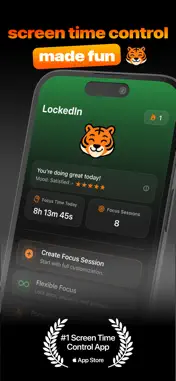
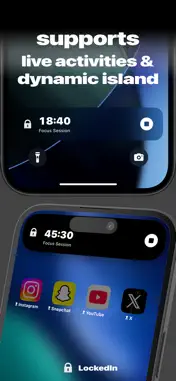
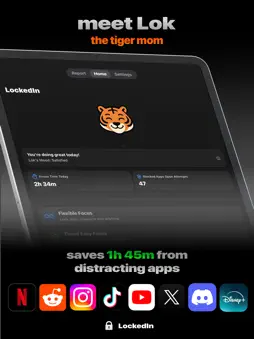
Finally, an app (that is not boring but fun!) that actually helps you break free from phone addiction. Meet Lok, your screen time manager, just like a tiger mom. Sick of mindless scrolling stealing your day? LockedIn is your ultimate screen time coach, designed to help students, professionals, and anyone battling phone addiction regain focus and productivity. Our cheeky mascot, Lok, is your personal cheerleader, dishing out witty nudges or sassy scolds to keep you on track. With 93% of users saving 1h 45m from doomscrolling in distracting apps, LockedIn empowers you to crush distractions, ace your goals, and stop the brainrot! Key features: • Custom Focus Sessions: Choose apps to lock, like TikTok or Instagram, and set session times to create distraction-free zones for studying, working, or relaxing. • Customisable Lock Modes: Easy lets you pause or stop sessions for flexibility; Hard throws up barriers with Lok’s playful “Are you sure?” prompts; Complete locks apps tight, no exceptions. • Lok's Motivation: Like a quirky friend, Lok celebrates your wins with encouragement or gets mock-angry when you waver, making focus fun and guilt-free. • Elegant Screen Time Reports: Dive into sleek, easy-to-read stats to track your phone use, spot patterns, and celebrate progress toward less screen time. • Live Activities & Dynamic Island: Stay in the zone with real-time focus session updates right on your iPhone’s lock screen or Dynamic Island for seamless motivation. • Privacy First: LockedIn uses Apple’s Screen Time API, keeping all data on your device for a secure, private experience that’s quick to set up. Invest in yourself, save your grades, and stop the brainrot from doomscrolling. Download LockedIn now to master your focus and reclaim your time! * Some of the mentioned features require a LockedIn Pro Subscription. • Terms of Service: https://lockedin.tech/terms • Privacy Policy: https://lockedin.tech/privacy • Apple’s End User License Agreement: https://www.apple.com/legal/internet-services/itunes/dev/stdeula/
What's New
Version 2.3 2025-09-16
Thanks for using LockedIn, the #1 screen time control app! • We have updated the app to support the Liquid Glass design on iOS 26 and iPadOS 26 Technical Analysis
Package Overview Basic metadata
Bundle ID
tech.lockedin.LockedIn Current Version 2.3
Minimum iOS 16.2
Package Size App Store Size
Package Metadata 1 / 8 version records
Detailed binary, privacy manifest, framework, and Info.plist results have not been indexed for this package yet. The verified App Store and archive metadata above remains available.
Developer Information
Known Version Records
1 version record with stored package metadata • 8 known version records
Stored metadata does not guarantee a package is currently available to download.
| Details | Version / IDs | Version date | Action |
|---|---|---|---|
| 53.82 MB | v2.3 App Store ID: 878135175Build: 2.3 | 2025-09-17 01:50:53 | Get Version |
| Not archived | App Store ID: 877707918 | Unknown | Request Version |
| Not archived | App Store ID: 877581559 | Unknown | Request Version |
| Not archived | App Store ID: 875824134 | Unknown | Request Version |
| Not archived | App Store ID: 875795893 | Unknown | Request Version |
| Not archived | App Store ID: 875656779 | Unknown | Request Version |
| Not archived | App Store ID: 875633316 | Unknown | Request Version |
| Not archived | App Store ID: 875604151 | Unknown | Request Version |