Preview

Description
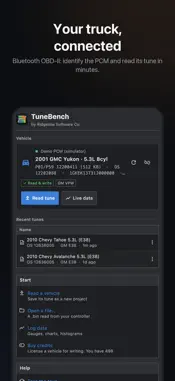
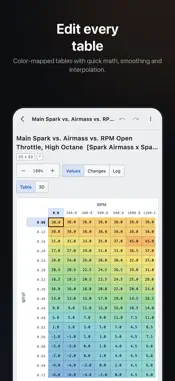
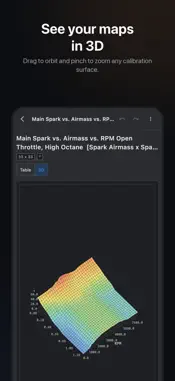
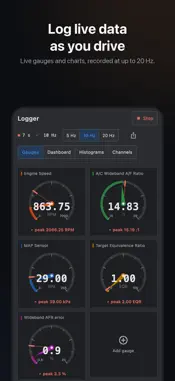
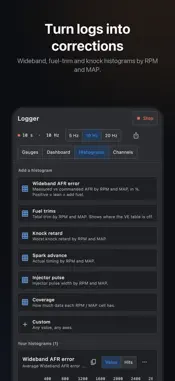
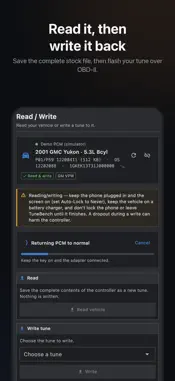
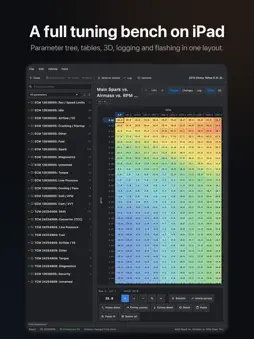
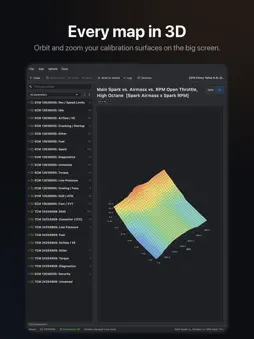
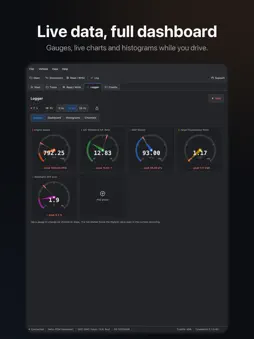
TuneBench turns your phone into a real GM tuning bench. Connect an OBDLink, OBDX Pro or compatible Bluetooth adapter, read your PCM, edit it with XDF definitions, log live data, and write your tune back. No laptop required. CONNECT AND READ • Works with OBDLink MX+, OBDX Pro and other Bluetooth OBD-II adapters • Auto-detects and identifies GM Gen III LS controllers (P01 / P59) • Reads the complete calibration and saves it as a new tune EDIT LIKE A PRO • Full XDF definition support: tables, curves, values and flags • Color-mapped tables and interactive 3D surfaces • Set, add, subtract, percent, multiply, smooth, interpolate and extrapolate • Compare any table against stock, save versions and roll back anytime • Imperial or metric units across tables, logs and live data LOG AND CORRECT • Live gauges, charts and VCM-style histograms at up to 20 Hz • Log fuel trims, knock, spark, injector pulse and more • Add a wideband on a spare input and log it as AFR • Turn a datalog into fuel corrections and apply them in one tap WRITE IT BACK • Flash your calibration back over OBD-II • GM P01 / P59 checksums are verified and corrected automatically FREE TO READ, EDIT AND LOG Reading a PCM, editing files and logging are always free. Writing a tune to a vehicle uses credits: one license per vehicle, bought in the app and shared across all your devices. SUPPORT BUILT IN Need help? Open a support ticket right from the app. You get a ticket number by email and we reply there. TRY IT FIRST Open the built-in demo vehicle to read, edit, log and tune with no adapter and no files. For off-road and competition use only. Always keep your original file and verify a tune before you flash it. You are responsible for any changes you write to your vehicle.
What's New
Version 3.0.2 2026-11-14
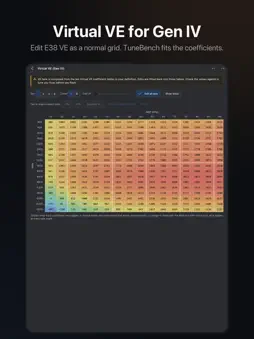
TuneBench 3.0 • AI Tuner (early release): ask about your tune in plain English. It reads your tables and logs, explains what it sees and proposes changes for y...TuneBench 3.0 • AI Tuner (early release): ask about your tune in plain English. It reads your tables and logs, explains what it sees and proposes changes for you to approve. Uses your own Anthropic or OpenAI API key. • Remote tuning (early release): start a session and let a tuner on a desktop log your vehicle and edit your tune live, end-to-end encrypted. Only you can write to your vehicle. • Flash tools now install from the TuneBench server, with clearer messages when a download fails. • Virtual VE (Gen IV) now opens in the full table editor: smooth, interpolate, paste, 3D, changes view, log overlay and one-tap corrections. • VE now reads as true percent, like other tuning tools. Gen III main VE on generated definitions and Gen IV Virtual VE use your tune's own cylinder volume, so the numbers look different (higher on Gen III) but your tune is unchanged. Reading, editing and logging are free. Writing a vehicle uses credits. Technical Analysis
Package Overview Basic metadata
Bundle ID
com.bmproductions.tunebench Current Version 3.0.2
Minimum iOS 15.0
Package Size App Store Size
Package Metadata 0 / 0 version records
Detailed binary, privacy manifest, framework, and Info.plist results have not been indexed for this package yet. The verified App Store and archive metadata above remains available.
Developer Information
Known Version Records
0 version records with stored package metadata
Stored metadata does not guarantee a package is currently available to download.
| Details | Version / IDs | Version date | Action |
|---|