
Preview





Description
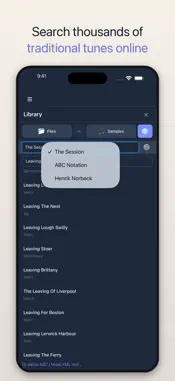
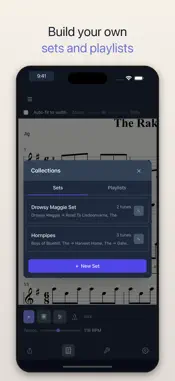
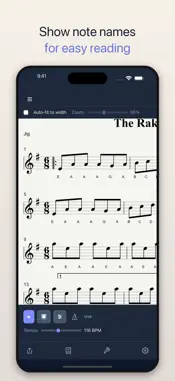
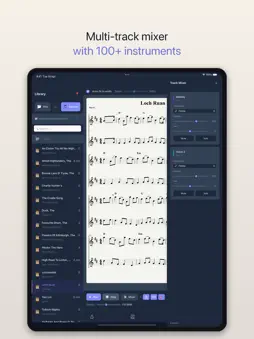
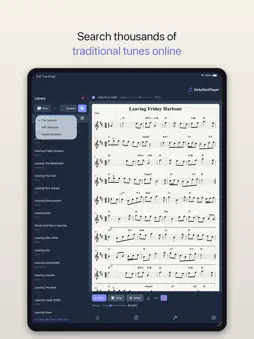
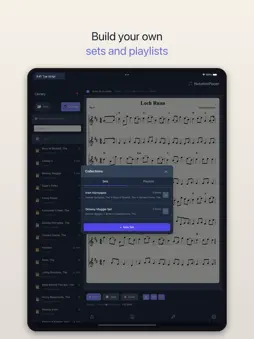
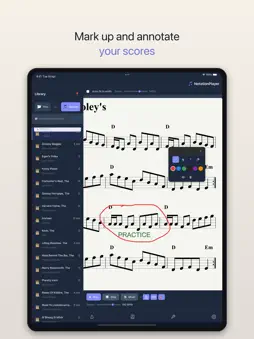
NotationPlayer turns your sheet music into sound. Open any MusicXML or ABC file, choose from over 100 realistic instruments, and hear your music played back instantly - with full tempo control, transposition, and a built-in metronome. Try every feature free for 7 days. After that, a single one-time purchase keeps NotationPlayer fully working - no subscription, no ads. Built for trad and folk musicians, with full MusicXML support for classical, jazz, choral, and any sheet music you read. Now in English, Spanish and German. PLAY YOUR MUSIC • Play MusicXML and ABC notation files with realistic instrument sounds • Adjust tempo from half speed to double speed without changing pitch • Transpose to any key with one tap • Built-in metronome with click, woodblock, and bodhrán sounds • Count-in option for a clean start • Auto-scroll follows the music as it plays FIND NEW TUNES • Search over 30,000 traditional tunes from The Session • Browse the ABC Notation archive and Henrik Norbeck's collection • Paste ABC or MusicXML notation directly into the app • 55 sample tunes included - Celtic, Classical, Bluegrass, and Jazz LEARN AND PRACTISE • Tap any note to set a cue point and play from there • Loop any section by selecting start and end notes - perfect for tricky passages • Show note names on every note - as letters (C, D, E), in solfège (Do, Re, Mi) or German style (H, B) • Lyrics displayed and synced to playback • Swing control for jazz and traditional styles MULTI-TRACK MIXER • Assign different instruments to each voice or part • 100+ instruments including fiddle, tin whistle, mandolin, piano, guitar, flute, choir, and more • Volume, pan, mute, and solo controls per track • Hide parts from the score - see just your own line while the others keep playing • Guitar chord accompaniment from chord symbols ANNOTATE YOUR SCORES • Draw on your scores with pen and highlighter • Add text notes anywhere on the page • Multiple colours and tools • Your annotations are saved with each tune ORGANISE YOUR MUSIC • Build tune sets - group tunes into medleys that play seamlessly • Create playlists with sets and individual tunes • Ensemble mode - add backing instruments to your playlists • Speed control for playlist playback • Favourites and search across your library EXPORT AND SHARE • Export scores as PDF for printing or sharing with bandmates • Export audio as MP3 • Share with other musicians WORKS OFFLINE NotationPlayer works without an internet connection. Your tunes, instruments, and playlists are always available - perfect for rehearsals, sessions, and practice anywhere. FREE TRIAL, THEN BUY ONCE Every feature is unlocked for your first 7 days. After the trial, scores still open and play a 30-second preview; a one-time purchase unlocks everything again, for good. There is no subscription, and purchases can be restored on a new device. Built for musicians who want their notation to do more than just sit on the page. Terms of Use (EULA): https://www.apple.com/legal/internet-services/itunes/dev/stdeula/
What's New
Version 1.2.8 2026-10-09
NotationPlayer now speaks Spanish and German. Choose a language in Settings, or let it follow your device. The Getting started and Playing a tune help pages are... Technical Analysis
Package Overview Basic metadata
Bundle ID
com.choruslogic.notationplayer Current Version 1.2.8
Minimum iOS 16.0
Package Size App Store Size
Package Metadata 2 / 9 version records
Detailed binary, privacy-manifest, framework, and Info.plist results have not been indexed for this package yet. The verified App Store and archive metadata above remains available.
Developer Information
Known Version Records
2 version records with stored package metadata • 9 known version records
Stored metadata does not guarantee a package is currently available to download.
| Details | Version / IDs | Version date | Action |
|---|---|---|---|
| 49.56 MB | v1.2.4 App Store ID: 888560872Build: 1.2.4 | 2026-07-27 19:09:43 | Get Version |
| 49.56 MB | v1.2.4 App Store ID: 884659844Build: 1.2.4 | 2026-07-27 19:09:43 | Get Version |
| Not archived | App Store ID: 884514652 | Unknown | Request Version |
| Not archived | App Store ID: 883829928 | Unknown | Request Version |
| Not archived | App Store ID: 883350852 | Unknown | Request Version |
| Not archived | App Store ID: 882872212 | Unknown | Request Version |
| Not archived | App Store ID: 882828913 | Unknown | Request Version |
| Not archived | App Store ID: 882821350 | Unknown | Request Version |
| Not archived | App Store ID: 882113656 | Unknown | Request Version |