Preview










Description
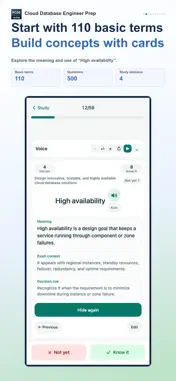
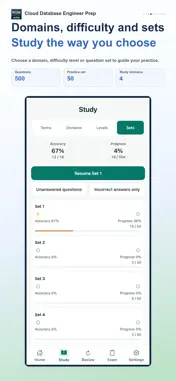
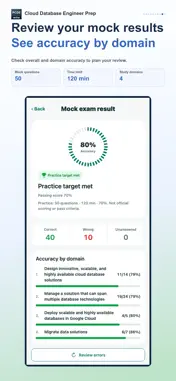
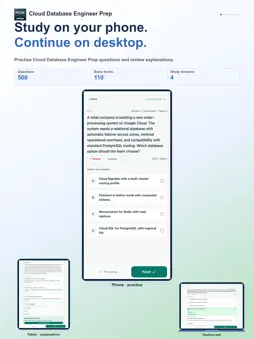
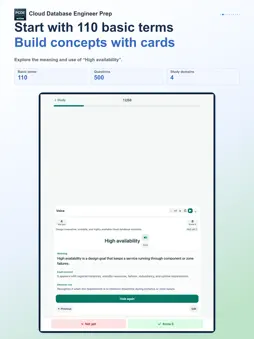
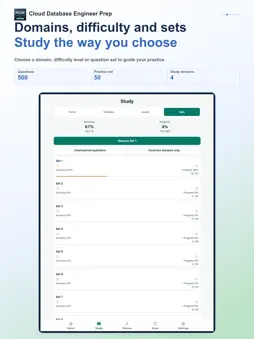
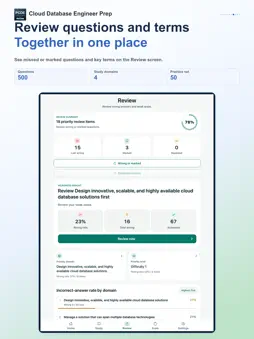
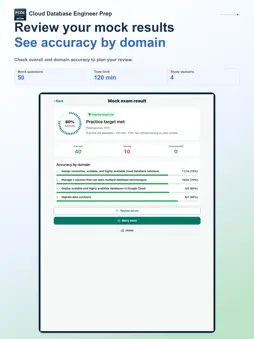
Study on your phone. Continue on desktop. Use your phone on the move and a tablet or desktop when you want more room to study. Connect the same StudyCert account to continue your learning in the app and on the desktop web. Prepare for Google Cloud Professional Cloud Database Engineer with 500 practice questions and 110 key terms. Study coverage · 4 areas • Design innovative, scalable, and highly available cloud database solutions • Manage a solution that can span multiple database technologies • Migrate data solutions • Deploy scalable and highly available databases in Google Cloud 1. Build your foundation with key terms Use flashcards to learn meanings, exam context and selection cues. Mark terms as known or not yet known, then revisit unstudied or unfamiliar cards. Edit card content to suit your learning and restore the original when needed. 2. Practice and understand each answer Study in 50-question sets, by domain or by difficulty. Work through single- and multiple-choice questions, then read the explanation for the answer and each option. Choose all, unfinished or wrong questions; shuffle questions and choices; use a study timer; and resume where you left off. From the results of domain study, continue with key terms and related questions in the next domain. 3. Review mistakes and uncertain concepts Choose recent errors, review marks or repeated mistakes on the Review screen and practice them again. Check accuracy by domain alongside the terms you know or still need to learn. The glossary report shows term-learning status and accuracy on related questions together. 4. Check your preparation with a mock exam Practice time management with 50 questions in 120 minutes. Change answers before submission, resume a saved exam and receive grading when time expires. Afterwards, see correct, wrong and unanswered counts, your score and domain results, then revisit mistakes. This practice feature uses the included questions and does not determine an official exam score or pass result. Tools that fit your study routine Optional audio study reads terms and meanings aloud. Choose whether to include exam context and selection cues, set repeats and pauses, and control playback with the mini player. A study calendar, learning streaks, weekly goals, reminders for unmet goals and light, dark or system themes support your routine. Learning records are managed for each supported language. Some features require paid access. Check the included features and price on the purchase screen. Purchase restoration is supported. This is an independent study aid, not an official, affiliated or endorsed app of any exam administrator or certification body. Exam names and trademarks belong to their respective owners.
What's New
Version 1.0.10 2026-10-26
Improved the Review screen and domain-study flow. Improved how questions and explanations are displayed. Technical Analysis
Package Overview Basic metadata
Bundle ID
com.choiseongmin.gcpprofessionalclouddatabaseengineerpublicquiz Current Version 1.0.10
Minimum iOS 15.1
Package Size App Store Size
Package Metadata 0 / 0 version records
Detailed binary, privacy manifest, framework, and Info.plist results have not been indexed for this package yet. The verified App Store and archive metadata above remains available.
Developer Information
Known Version Records
0 version records with stored package metadata
Stored metadata does not guarantee a package is currently available to download.
| Details | Version / IDs | Version date | Action |
|---|