
Preview

Description
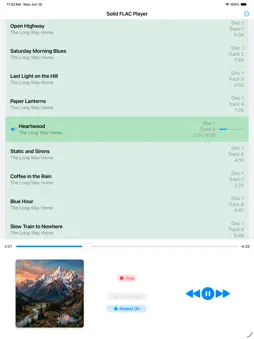
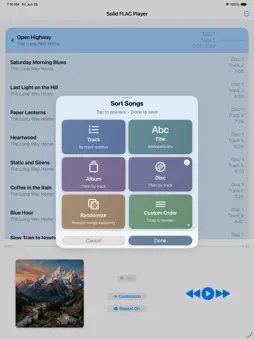
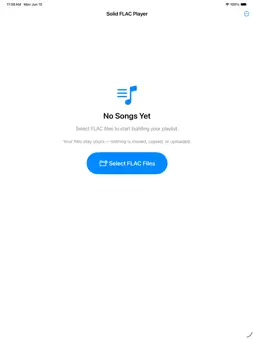
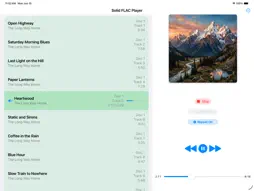
Solid FLAC Player plays your FLAC files at full quality — no conversion, no transcoding, no re-encoding to something lossy on the way to your speakers. If you ripped your CDs to FLAC or bought lossless downloads, this plays them as they are. It plays FLAC files from anywhere your iPad can reach them - local storage, a flash drive, iCloud, a shared drive. Load a single album or queue up a mix from different folders. Sort your songs by track number, title, album, disc number, or shuffle them - or drag them into any order you like. Multi-disc albums show their disc numbers and play in proper disc-then-track order. Add or remove files anytime. Your file system is your song list. Features: • Plays standard FLAC files at their full quality, with no conversion or transcoding • Remove songs one at a time, or mark as many as you like - or Select All - and remove them together • Embedded cover art display • Set your own artwork: long press the artwork and pick an image from Photos or Files. It applies to every song in the current list, is remembered between launches, and clears when the song list does. The image is stored by the app and never written into your files • Full track metadata: title, artist, album artist, composer, album, year, genre, track number, disc number, duration, bitrate, sample rate, channels, file size, and format • Six sort modes: by track number, by title, by disc number, by album, randomized, or custom drag-to-reorder • Continuous and repeat playback • On-screen transport controls, with Control Center and lock-screen playback integration WHAT YOU WON'T FIND HERE • No ads. No banner ads, no video ads, no ads anywhere. No nags, no popups, no "rate this app" interruptions, no premium tier waiting behind a paywall. • No internet connection required - nothing streams, nothing uploads, no account needed. No analytics, no tracking, no usage data collected. • What you play and how you use the app stays on your iPad. YOUR FILES, UNTOUCHED Your FLACs stay exactly where they are. This app will never move, alter, rename, or send your files anywhere. The app remembers your last song list between sessions, but you're always in control. BUILT FOR iPAD • Designed specifically for modern iPads - not a stretched phone app - and works in all orientations. • Long press for context menus, drag to reorder - works the way you expect an iPad app to work. • Control Center and the Lock Screen show a position bar that tracks the song as it plays, and can be dragged to move through it. • Embedded album artwork displays automatically. Background playback keeps your music going when you lock your iPad or switch apps, and plays nicely alongside other audio apps. • Requires iPadOS 18.2 or later. NOT A LIBRARY APP This is for playing albums and small collections, not managing thousands of songs. No syncing. No library to maintain. You manage your music your way, through your own files. If you've got a folder of FLAC albums sitting somewhere, this is for you. SUPPORT Need help getting FLACs onto your iPad? Visit ChillyWindsDontBlow.com/#solid-support Questions or feedback? Contact me at [email protected]
What's New
Version 1.80 2026-10-20
- Songs no longer disappear from your list after you restart your iPad. If an earlier version removed them this way, add them once more and they'll stay. - If s... Technical Analysis
Package Overview Basic metadata
Bundle ID
com.chillywindsdontblow.solidflacplayer Current Version 1.80
Minimum iOS 18.2
Package Size App Store Size
Package Metadata 0 / 0 version records
Detailed binary, privacy manifest, framework, and Info.plist results have not been indexed for this package yet. The verified App Store and archive metadata above remains available.
Known Version Records
0 version records with stored package metadata
Stored metadata does not guarantee a package is currently available to download.
| Details | Version / IDs | Version date | Action |
|---|