Preview






Description
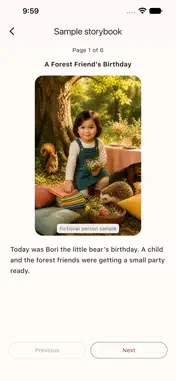
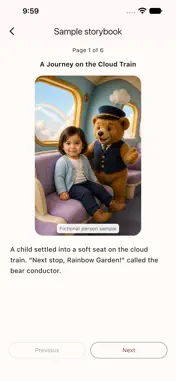
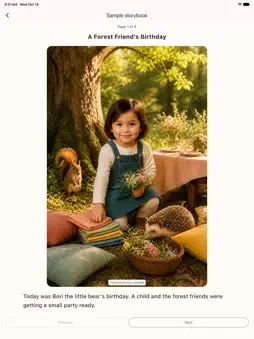
A little imagination starts with your photo in Miravo. Explore separate spaces for themed photos, personalized storybooks, and AI miniatures. • Create a themed photo Choose a photo, theme, and art style to create a special scene. Explore photographic, watercolor, illustration, and hand-drawn animation styles. • Become part of a storybook Create a six-page personalized storybook from one photo. Browse three sample stories: Starlight Adventure, Forest Birthday, and Cloud Train. Add a name or nickname if you like; it is optional. Choose photographic, watercolor, illustration, or hand-drawn animation artwork in Korean or English. Completed books can be saved as PDFs. • Create AI miniature photos For photos of 1–8 people, confirm the number of people and choose your scene. Every scene is available regardless of people count. Try bag keychains, cupped hands, a bright computer keyboard with colorful keys, phone keychains, car keychains, an open gift box, or a two-tier keychain display. In Playful animal tag, tiny figures run in front while a giant, friendly dog, cat, or rabbit follows behind. AI reinterprets the people as animated figures with large heads and small bodies. Recognizable details and the way people are depicted may vary by photo and scene. Check each result for missing or repeated people and mixed features. • Keep your creations together Find themed photos, storybooks, and miniatures in their own tabs in My Photos. Miniature results appear in Miniatures. Save a favorite result as a magic card to revisit it in the Miniature Keychains collection. Save completed images to your device or share them. How credits work A regular themed photo uses 1 credit. Each storybook uses 5 credits. Creating an additional version of a completed book in another art style also uses 5 credits. Each miniature image uses 2 credits, regardless of people count. Credits for failed generations are automatically refunded. Check the required credits in the app before creating. Reopening or downloading an existing result does not use additional generation credits. Storybooks are stored on the server for 30 days after completion. Download and save the PDF to your device within that period to keep it. PDFs contain still images and text. Miravo creates digital AI images. Physical figures, keychains, printing, and shipping are not included.
What's New
Version 1.4.12 2026-11-03
• Create AI miniature images from photos of 1–8 people. • Choose any scene, including keychains, cupped hands, and a bright keyboard with colorful keys, regardl...• Create AI miniature images from photos of 1–8 people. • Choose any scene, including keychains, cupped hands, and a bright keyboard with colorful keys, regardless of people count. • Explore Playful animal tag with a giant dog, cat, or rabbit and tiny running figures. • Each miniature image uses 2 credits; failed generations are automatically refunded. • Improved photo reuse, people-confirmation checks, and the Done-to-Home flow after viewing a result. • Revisit saved results in Miniatures and saved magic cards in Miniature Keychains. • Refined English guidance and original-to-miniature comparison examples on Home. Technical Analysis
Package Overview Basic metadata
Bundle ID
com.magickidscam.app Current Version 1.4.12
Minimum iOS 15.0
Package Size App Store Size
Package Metadata 0 / 0 version records
Detailed binary, privacy manifest, framework, and Info.plist results have not been indexed for this package yet. The verified App Store and archive metadata above remains available.
Known Version Records
0 version records with stored package metadata
Stored metadata does not guarantee a package is currently available to download.
| Details | Version / IDs | Version date | Action |
|---|