Preview






Description
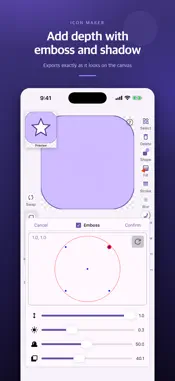
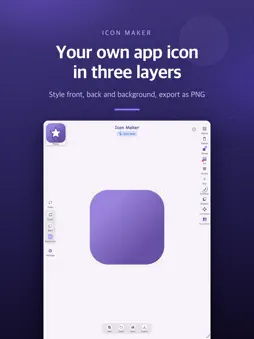
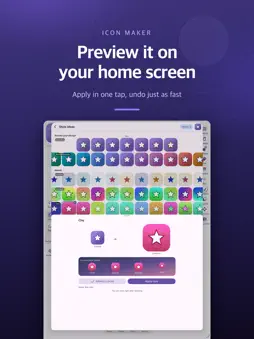
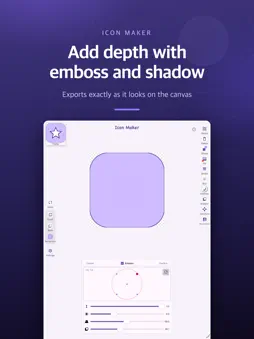
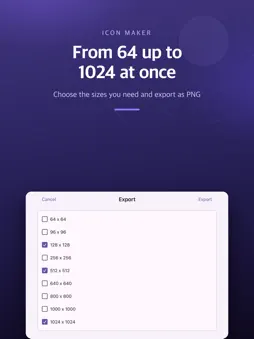
Icon Maker is an easy way to make your own app icons, logos and profile images. Combine two icon layers with a background layer, fill them with colors, gradients or photos, and export as PNG. No design skills needed. STYLE IDEAS Not sure where to go next? Get variations around your current design, plus mood sets such as minimal, gradient, clay, glass and neon. Preview a style on a home screen in circle, squircle and rounded shapes, apply it in one tap, and undo just as fast. THREE LAYERS Top icon, bottom icon and background, each styled independently. THOUSANDS OF ICONS, FONTS AND PHOTOS Material Icons, Material Symbols, Font Awesome and Material Design Icons, searchable by name. Type letters with fonts on your device, or start from your own photo. FILL Solid colors, gradients and photo fills with a live preview. Linear, radial and sweep gradients with preset palettes and adjustable direction. EFFECTS Border, blur, emboss and shadow with full control of color, size and position. SHAPES AND TRANSFORM Rectangle, oval, triangle, star, diamond, hexagon and heart, with width, height and corner radius. Move, rotate, scale, skew and even 3D perspective. EXPORT Save PNG images from 64 to 1024 pixels, several sizes at once, straight to your Photos. What you see on the canvas is exactly what you export. SAVE YOUR WORK Save projects and open them later to keep editing. PERFECT FOR - App developers who need a custom app icon fast - Designers trying out ideas and variations - Anyone making a profile icon or social media image - Small brands creating a simple logo Open-source icon fonts used in this app: - Material Icons and Material Symbols - Apache License 2.0 - Font Awesome Free - SIL Open Font License 1.1 - Material Design Icons - Apache License 2.0 Full license texts are available in the app settings.
What's New
Version 1.3 2026-11-18
Icon Maker now speaks Spanish, Portuguese, German, Indonesian and French. The app follows your device language, or you can pick one in Settings > Icon Maker > L...Icon Maker now speaks Spanish, Portuguese, German, Indonesian and French. The app follows your device language, or you can pick one in Settings > Icon Maker > Language. Technical Analysis
Package Overview Basic metadata
Bundle ID
com.boolint.IconMixer Current Version 1.3
Minimum iOS 16.0
Package Size App Store Size
Package Metadata 0 / 0 version records
Detailed binary, privacy manifest, framework, and Info.plist results have not been indexed for this package yet. The verified App Store and archive metadata above remains available.
Developer Information
Known Version Records
0 version records with stored package metadata
Stored metadata does not guarantee a package is currently available to download.
| Details | Version / IDs | Version date | Action |
|---|