Preview






Description
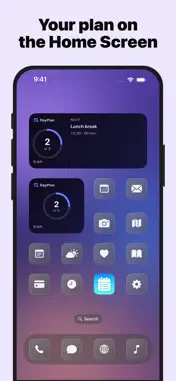
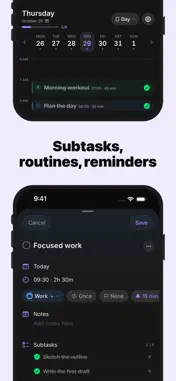
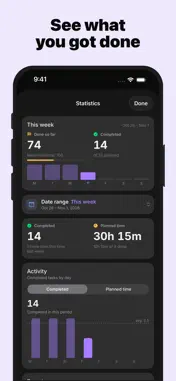
Plan your day with the time-blocking method — the proven approach focused people use to get more done in less time. DayPlan turns your empty calendar into a clear plan. Drag tasks onto a visual hourly timeline, group them by colored category, and see exactly where your time goes. CORE FEATURES • Day timeline with drag-and-drop scheduling • Recurring tasks (daily, weekly, monthly, yearly) • Routines — save reusable templates and insert them with one tap • Colored categories for work, fitness, personal, and more • Local reminders for upcoming tasks • Apple Calendar integration (read-only) — see appointments alongside tasks • Lock-screen Live Activity for the running task • Siri & Shortcuts: "Add a task to DayPlan" • Today, the next three days and this month — free • Works completely offline PREMIUM • iCloud sync across all your devices • Plan as far ahead as you like — and look back • Custom categories with your own colors and icons • Day notes • Home Screen widgets • Apple Watch app — what's next, tick tasks off, your inbox and your week PRIVACY-FIRST DayPlan is built data-minimal: no account, no sign-in, no advertising, no tracking, no analytics SDKs. All tasks are stored locally on your device. If you enable iCloud sync, data is mirrored only into your own private iCloud database — we have no access. PRICING • Monthly subscription • Yearly subscription with a 7-day free trial • Lifetime — one-time payment, no subscription Subscriptions auto-renew unless cancelled 24 hours before the end of the current period in your Apple ID settings. — Terms of Use (EULA): https://www.apple.com/legal/internet-services/itunes/dev/stdeula/ Privacy Policy: https://dayplan-app.web.app/datenschutz
What's New
Version 1.5.1 2026-10-29
Easier planning: helpful tips to get started, smoother controls and many small improvements. Technical Analysis
Package Overview Basic metadata
Bundle ID
com.darianhanci.DayPlan Current Version 1.5.1
Minimum iOS 18.0
Package Size App Store Size
Package Metadata 1 / 4 version records
Detailed binary, privacy manifest, framework, and Info.plist results have not been indexed for this package yet. The verified App Store and archive metadata above remains available.
Developer Information
Known Version Records
1 version record with stored package metadata • 4 known version records
Stored metadata does not guarantee a package is currently available to download.
| Details | Version / IDs | Version date | Action |
|---|---|---|---|
| 21.1 MB | v1.3.0 App Store ID: 887056795Build: 1.3.0 | 2026-08-31 22:38:53 | Get Version |
| Not archived | App Store ID: 887000391 | Unknown | Request Version |
| Not archived | App Store ID: 885492554 | Unknown | Request Version |
| Not archived | App Store ID: 885214532 | Unknown | Request Version |