Preview





Description
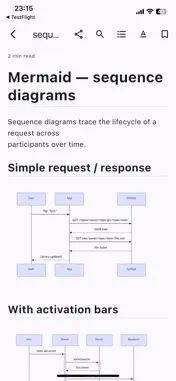
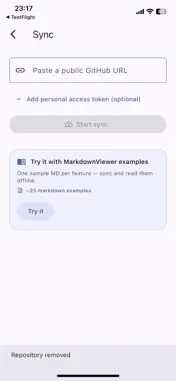
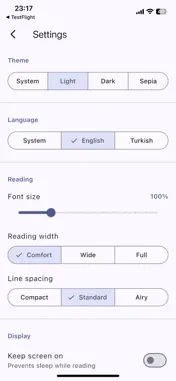
MarkdownViewer is a distraction-free reader for .md files on iPhone and iPad. Open a file from Files, AirDrop, or a shared link; or sync an entire documentation repository from GitHub and read it offline. Just exploring? The app ships with a curated library of example documents covering every feature below — sync it with one tap from the "Try it" card on the library screen. RICH RENDERING • Full CommonMark + GitHub Flavored Markdown • Mermaid diagrams rendered inline • LaTeX math (inline and display) via KaTeX-compatible engine • Syntax-highlighted code blocks across 190+ languages • GFM tables, task lists, footnotes, strikethrough • GitHub-style admonitions (NOTE, WARNING, TIP, CAUTION) READING COMFORT • Material 3 design with light, dark, and sepia themes • Adjustable font size, reading width, and line height • Immersive scroll — the app bar fades away as you read • Table of contents drawer with one-tap navigation • In-document search with match counter • Reading-position bookmark — resume exactly where you left off • Keep-screen-on toggle for long-form reading • Reading time estimate BRING YOUR OWN DOCS • Sync any public GitHub repository with a single URL • Private repos supported via a personal access token (stored in the iOS Keychain — never in the app's database) • Incremental re-sync — only changed files download • Re-sync or remove a synced repo from the drawer EXPORT AND SHARE • Export any document to PDF with mermaid diagrams preserved • Share the raw markdown or a rendered PDF via the system share sheet PRIVACY BY DESIGN • No accounts, ever • Zero telemetry by default • Crash reporting is opt-in and excludes document content, file paths, and tokens • The only network traffic is to GitHub when you explicitly sync Made in the open on GitHub. Licensed under Apache-2.0.
What's New
Version 1.3.0 2026-04-29
Added a Collapse All button next to the library search bar — close every expanded folder in the tree with a single tap. You can now rename folder and GitHub rep...Added a Collapse All button next to the library search bar — close every expanded folder in the tree with a single tap. You can now rename folder and GitHub repository sources. Long-press a source and choose Rename to give it a shorter, friendlier label that fits the drawer. Renamed sources update everywhere instantly — drawer, library title, search results — without needing to reopen the app. Technical Analysis
Package Overview Basic metadata
Bundle ID
com.cemililik.markdownViewer Current Version 1.3.0
Minimum iOS 14.0
Package Size App Store Size
Package Metadata 0 / 3 version records
Detailed binary, privacy manifest, framework, and Info.plist results have not been indexed for this package yet. The verified App Store and archive metadata above remains available.
Developer Information
Known Version Records
0 version records with stored package metadata • 3 known version records
Stored metadata does not guarantee a package is currently available to download.
| Details | Version / IDs | Version date | Action |
|---|---|---|---|
| Not archived | App Store ID: 885014128 | Unknown | Request Version |
| Not archived | App Store ID: 884766913 | Unknown | Request Version |
| Not archived | App Store ID: 884535932 | Unknown | Request Version |