Preview





Description
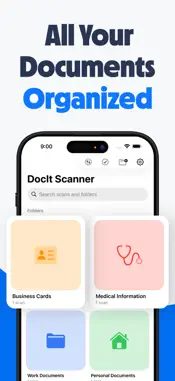
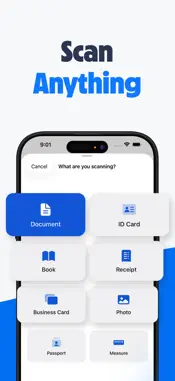
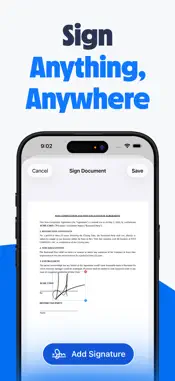
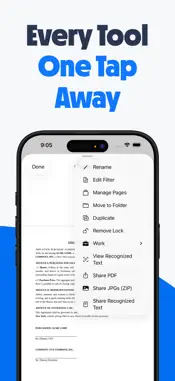
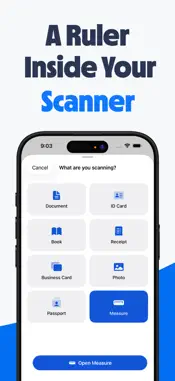
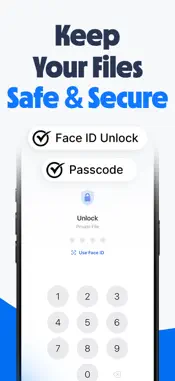
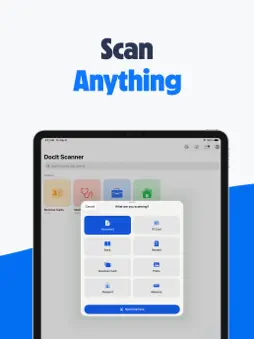
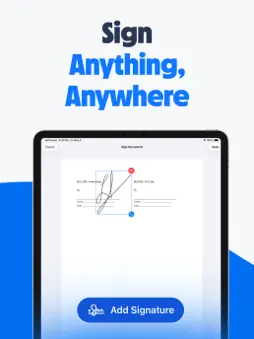
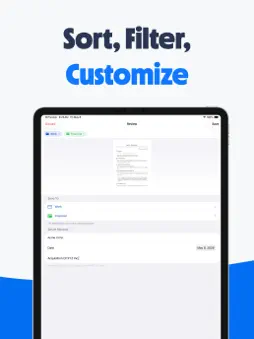
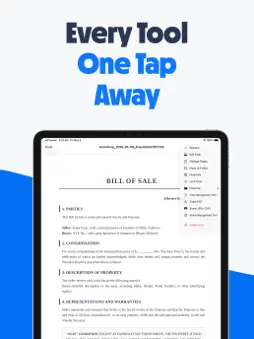
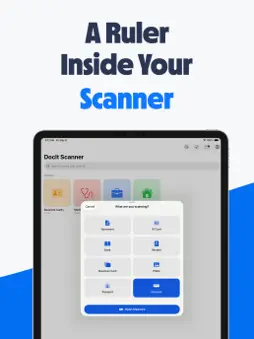
Scan, sign, measure, and organize - every kind of paperwork, all on-device. Free, ad-free, with private iCloud sync. No subscriptions, ever. DocIt turns your iPhone camera into a full document workflow. Capture documents, IDs, receipts, books, photos, business cards, and passports with smart edge detection and the right filter for the type you picked. Sign them with your saved signature. Measure real-world objects in AR. Lock the private ones behind Face ID. Sync everything across your iPhone and iPad through your personal iCloud, the same encrypted storage as Apple Notes and Photos. No ads. No subscriptions. No data collection. Built by one person who actually uses it. FEATURES SMART CAPTURE Pick what you are scanning: Document, ID Card, Book, Receipt, Business Card, Photo, or Passport. DocIt auto-tunes edge detection, perspective correction, and color filter for the type you picked. AR MEASURE Tap two points on any real-world surface to get exact distances. Desks, doorways, picture frames, room dimensions. Results save alongside your scans with measurements baked into the photo. Choose imperial or metric in Settings. ON-DEVICE OCR Every scan is run through Apple text recognition automatically. Search your library by content, copy text from any page, or share recognized text as plain .txt. Tap Edit to correct misreads or add notes. MARKUP AND SIGN Pinch to zoom and draw with Apple Pencil or finger. Save signatures once and drop them onto any document. Drag to position, pinch or drag handles to resize, tap once for the remove button. Add editable text annotations alongside. MANAGE PAGES Reorder pages by drag, multi-select to delete or share specific pages, or duplicate a whole document into another folder. Page changes are non-destructive until you save. PRIVATE FILES Lock individual documents or whole folders with a 4-digit PIN. Optional Face ID, Touch ID, or Optic ID for one-glance unlock. The PIN lives in your device secure Keychain. Never synced to iCloud, never recoverable. One PIN, all your locked items. ORGANIZE Nested folders with custom colors, emojis, and categories. Drag scans between folders, multi-select for bulk actions, merge several PDFs into one, share whole folders as ZIPs. Anything you delete waits in the Trash for 30 days. SHARE EVERYWHERE Share any scan as PDF, individual JPG, JPG ZIP for multi-page, or the plain recognized text. Or use any other app share sheet to send PDFs and images straight into DocIt. ONE TAP FROM ANYWHERE Pin DocIt to your Lock Screen, Control Center, or the Action Button. Or ask Siri: Scan with DocIt. A fresh scan is one tap away. AUTO-UPLOAD TO YOUR CLOUD Send every new scan straight to iCloud Drive, Dropbox, OneDrive, or Box. Wherever you already keep your files. No third-party logins to manage. SYNCED PRIVATELY Folders, scans, and recognized text sync across iPhone and iPad through your private iCloud. No third-party servers. Ever. SIX APP ICONS Pick from Classic, themed colors, or the Liberty (USA) edition. Switch from Settings then App Icon. BUILT BY ONE PERSON DocIt is built and maintained by a single indie developer. No VC, no growth team, no ad partners. The optional Tip Jar in Settings keeps the lights on, only if you want to. We do not sell your data because we do not have your data. Everything happens on-device, syncs through your personal iCloud, and stays yours. Questions or feedback? [email protected]
What's New
Version 1.0.7 2026-09-23
A major update for getting more done with your documents. Updated for iOS 27, with expanded PDF tools, a more useful split-screen workspace, and improvements to... Technical Analysis
Package Overview Basic metadata
Bundle ID
com.thescannerapp.scanner Current Version 1.0.7
Minimum iOS 26.0
Package Size App Store Size
Package Metadata 0 / 7 version records
Detailed binary, privacy manifest, framework, and Info.plist results have not been indexed for this package yet. The verified App Store and archive metadata above remains available.
Known Version Records
0 version records with stored package metadata • 7 known version records
Stored metadata does not guarantee a package is currently available to download.
| Details | Version / IDs | Version date | Action |
|---|---|---|---|
| Not archived | App Store ID: 886847827 | Unknown | Request Version |
| Not archived | App Store ID: 885979430 | Unknown | Request Version |
| Not archived | App Store ID: 885779530 | Unknown | Request Version |
| Not archived | App Store ID: 885621124 | Unknown | Request Version |
| Not archived | App Store ID: 885474482 | Unknown | Request Version |
| Not archived | App Store ID: 885351611 | Unknown | Request Version |
| Not archived | App Store ID: 885188327 | Unknown | Request Version |