Preview






Description
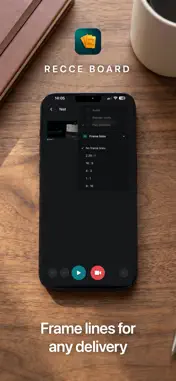
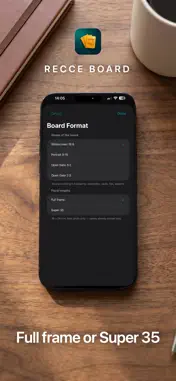
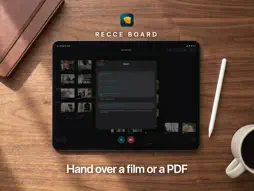
A recce board for directors, cinematographers. Previz made simple. Walk a location, film the shots you're thinking of, and push them around until the order feels right. Then press play and watch the whole thing as a film. The camera opens already framed to the board's format, and the lens buttons are labelled in millimetres — the real focal length, so it means the same on any iPhone. Stop recording and you're in the trim. Next takes you back to the camera for the following shot. Shots sit where you put them, and the order of the film is the arrangement: left to right, top to bottom, the way a page reads. Move a shot and you've changed the cut. Record a voice-over over the whole thing or over a single shot, and lay music underneath. Export the film as a video or the board as a contact-sheet PDF, with your frame lines burned in. Boards sync through your own iCloud account, so you can start on the phone at the location and finish on the Mac. One purchase covers iPhone, iPad and Mac. Share a board with a six-character code. Nothing is collected — no analytics, no tracking, no third-party SDKs. One purchase, no subscription. Want it to do something it doesn't yet? [email protected]
What's New
Version 1.3.0 2026-11-09
What's New Apple Pencil, rebuilt (iPad) • Ink stays locked to your cards while you zoom and scroll — no lag, no jumping, no lines snapping into place. • Draw a...What's New Apple Pencil, rebuilt (iPad) • Ink stays locked to your cards while you zoom and scroll — no lag, no jumping, no lines snapping into place. • Draw anywhere on the board, at any zoom. • Tap a card with your finger to stop drawing. • Tapping the top of the screen no longer throws the board back to the top. Smoother board • Pinch-zoom and scrolling no longer flicker or jump. • Zoom out further, so even big boards fit on screen; boards open fitted and centred, with open space around them. • New "Show whole board" button next to undo/redo (on iPhone, just above them). • A new shot only moves the view when it lands off screen. Trim • A playhead you can scrub, and the shot's length in seconds. • The In and Out handles are much easier to grab. Copy, paste and share • Paste pictures and videos copied in any app straight onto a board (⌘V or "Paste from Clipboard" in the add menu). • Copy a shot as a JPEG, GIF or 720p MP4 from its Export menu, ready for Messages, Mail or Finder. Boards and folders • Board cards show one full picture with the title over it; long-press a board to choose its thumbnail. • Drag boards into and out of folders in the sidebar. • Settings now follow your iCloud account to all your devices. Camera and lenses • iPhone: drag along the lens buttons for a zoom dial, like the Camera app. • iPhone in landscape: the lens buttons and zoom dial sit on the right, above the record button, right under your thumb. • Focal lengths now give the lens that frames the same picture on your camera, so Super 16 and Super 35 numbers are more accurate. Shots taken before keep their old number. Film • The player's controls stay on screen; tapping the picture just plays or pauses. • The film-order line is smoother and can be hidden. Mac • A proper toolbar and menu bar, right-click menus, middle-drag to pan, Delete and the Edit menu work, and Option-drag duplicates (also on iPad with a keyboard). • iPad with a mouse or trackpad: right-click and zoom buttons. Fixes • iCloud sync could stop when one clip was on a shared board and another board; it repairs itself on launch. • Fixed a freeze on launch, a crash when dropping a card, and problems with missing footage files and large imports. • Imports from Photos and from Dropbox or iCloud Drive are more reliable. • "Something Looks Wrong" can now download everything again from iCloud. Technical Analysis
Package Overview Basic metadata
Bundle ID
com.carlooppermann.RecceBoard Current Version 1.3.0
Minimum iOS 26.0
Package Size App Store Size
Package Metadata 0 / 0 version records
Detailed binary, privacy manifest, framework, and Info.plist results have not been indexed for this package yet. The verified App Store and archive metadata above remains available.
Developer Information
Known Version Records
0 version records with stored package metadata
Stored metadata does not guarantee a package is currently available to download.
| Details | Version / IDs | Version date | Action |
|---|