
Preview









Description
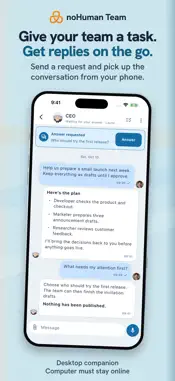
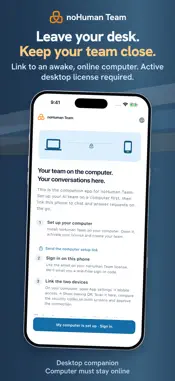
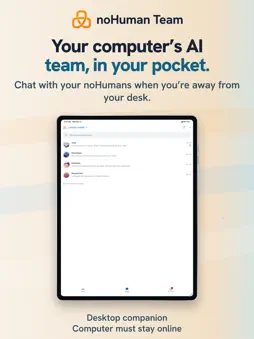
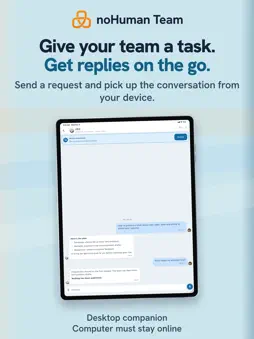
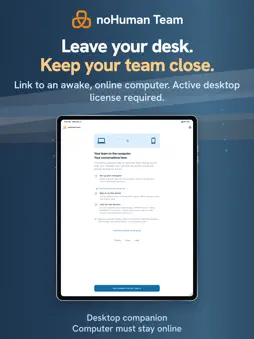
Keep in touch with the AI team running on your computer. noHuman Team is the mobile companion to noHuman Team for desktop. Open a noHuman's conversation, send a request, read the reply and answer questions that need your decision. CHAT AND SHARE Read formatted replies, search conversations, and send images and documents. Share a file from another app, choose a noHuman and review the draft before sending. Save received files, share them or open them in another app. DICTATE A DRAFT Choose a dictation language, speak and review the text before sending. On-device recognition depends on your device and installed languages. Voice recordings are not sent through your computer or our servers. YOU MAKE THE CALL Review questions and permission requests in Attention. Approval requests have their own card, and you choose who can use each approval: the noHuman that asked, its staff or the whole team. Check status and use the controls supported by your desktop version, including model selection and pausing or stopping work. YOUR LANGUAGE The interface supports English, Russian and Spanish. Dictation language is a separate choice. Messages, files and saved memory keep their original language. PAIRING Sign in with the email on your desktop license. On your computer, open App settings > Mobile access and show the pairing QR code. Scan it, compare the security fingerprints on both devices and approve the connection. The app includes a setup guide and a separate demo you can explore before pairing. PRIVACY Messages and files use end-to-end encryption between your phone and computer. If you report a reply, you choose the excerpt to share with Cardamon for safety review. You can delete your mobile account from the app menu. REQUIREMENTS You need an existing noHuman Team desktop installation and an active desktop license. Keep your computer running and online so it can receive requests and send replies. Your phone does not run the AI team. Provider availability and usage limits depend on the connections you configure on your computer. The companion app is free to download, with no ads or in-app purchases. Support: [email protected] Privacy Policy: https://nohuman.team/privacy
What's New
Version 1.3.0 2026-11-06
Approval requests now have their own green card, separate from questions. When you approve, choose who can use the approval: only the noHuman that asked, it and...Approval requests now have their own green card, separate from questions. When you approve, choose who can use the approval: only the noHuman that asked, it and its staff, or the whole team. noHumans without a picture now show their character from the desktop app instead of initials. Update noHuman Team on your computer to 4.10.2 to get these changes. Technical Analysis
Package Overview Basic metadata
Bundle ID
team.nohuman.mobile Current Version 1.3.0
Minimum iOS 13.0
Package Size App Store Size
Package Metadata 0 / 0 version records
Detailed binary, privacy manifest, framework, and Info.plist results have not been indexed for this package yet. The verified App Store and archive metadata above remains available.
Developer Information
Known Version Records
0 version records with stored package metadata
Stored metadata does not guarantee a package is currently available to download.
| Details | Version / IDs | Version date | Action |
|---|