Preview



Description
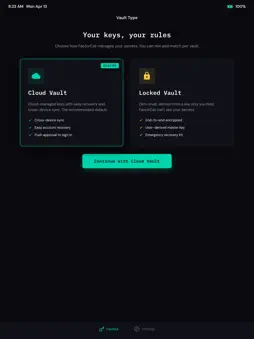
FactorCat is a modern authenticator that replaces the code-copying ritual with a single tap. How it works: Install the browser extension on your computer. When you hit a login page that needs a code, FactorCat sends a push notification to your phone. Tap approve, confirm with Face ID or fingerprint, and the code fills in automatically. No switching apps. No squinting at timers. No mistyped digits. Security you can trust: Your TOTP secrets are stored on your device, encrypted and protected by biometrics. FactorCat never holds your passwords — MFA and passwords stay separate by design, so there's no single point of failure for your online identity. Two vault types: • Cloud Vault — cloud-managed keys for easy recovery. Great for getting started with MFA or for low-risk accounts. FactorCat can generate codes on your behalf when your phone is offline. • Locked Vault — zero-trust encryption using a model trusted by leading security products. You hold the keys. FactorCat cannot read your secrets. Backup via encrypted cloud blobs recoverable only with your emergency kit. Getting started takes 2 minutes: 1. Download FactorCat 2. Add your first token (scan a QR or let the browser extension capture it) 3. Pair with the extension via one QR scan 4. Done — your next login fills itself in Also works standalone. Use FactorCat as a regular authenticator with no account or extension required. When you're ready for auto-fill, pair up anytime. Free to use. No ads. No tracking. Terms of Use (EULA): https://www.apple.com/legal/internet-services/itunes/dev/stdeula/ Privacy Policy: https://www.factorcat.com/privacy/
What's New
Version 1.0.3 2026-08-03
Auto-fill improvements: factors added on your phone now pick up their website automatically, and site matching is more precise. Technical Analysis
Package Overview Basic metadata
Bundle ID
com.factorcat.app Current Version 1.0.3
Minimum iOS 15.1
Package Size App Store Size
Package Metadata 0 / 2 version records
Detailed binary, privacy manifest, framework, and Info.plist results have not been indexed for this package yet. The verified App Store and archive metadata above remains available.
Developer Information
Known Version Records
0 version records with stored package metadata • 2 known version records
Stored metadata does not guarantee a package is currently available to download.
| Details | Version / IDs | Version date | Action |
|---|---|---|---|
| Not archived | App Store ID: 889210896 | Unknown | Request Version |
| Not archived | App Store ID: 883156199 | Unknown | Request Version |