Preview




Description
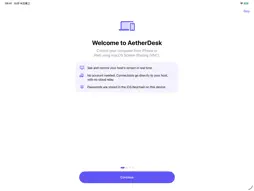
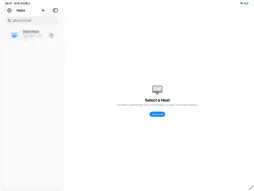
Leave your desk — not your Mac. AetherDesk turns your iPhone and iPad into a fast, private remote screen for your Mac, using the Screen Sharing already built into macOS. Not just Macs: it also connects to standard VNC servers on Windows, Linux or Raspberry Pi (port 5900 or any custom port). Nothing to install on the Mac, no account to create, no cloud relay in between. WHY YOU'LL LIKE IT • Feels like a trackpad – precise pointer, tap to click, hold to drag, two-finger tap to right-click, three-finger scroll, pinch to zoom. • The view follows your cursor – small screens stay usable; zoom in for detail, fit to screen in one tap. • Real Mac shortcuts – a Dock with ⌘ ⌥ ⌃ ⇧, Esc, Tab and arrow keys, plus right-click mode. • Remote typing – paste text and send it to the Mac, while watching it appear on the remote screen. • Made for iPad – sidebar split layout with your hosts and the live session side by side. • View Only – watch a Mac without any accidental clicks; switch back to control anytime. • Quality options – tune the picture for fast Wi-Fi or slower links. • Any VNC host – macOS user login for Mac Screen Sharing, or a VNC password for standard VNC servers; set host:port per connection. • Guided start – a short first-launch guide shows how to set up your Mac and every gesture. PRIVATE BY DESIGN Connects directly from your device to your Mac. Passwords stay in your device's Keychain. No account, no tracking, no AetherDesk server. REQUIREMENTS A Mac you are allowed to use with Screen Sharing turned on (System Settings › General › Sharing), signed in with a macOS user account — or any VNC server you are allowed to use that accepts a VNC password (servers that require only TLS/VeNCrypt or RealVNC's own encryption are not supported) — and a network path to it — the same Wi-Fi or your own VPN. Remote typing sends plain ASCII text; it is not two-way clipboard sync. Never expose Screen Sharing or any VNC server to the public internet.
What's New
Version 1.1.0 2026-10-23
Connect to VNC hosts through an SSH tunnel, including hosts on private Docker networks. A new setup guide explains the SSH and remote VNC fields. Includes conne... Technical Analysis
Package Overview Basic metadata
Bundle ID
com.longx.aetherdesks Current Version 1.1.0
Minimum iOS 17.0
Package Size App Store Size
Package Metadata 0 / 0 version records
Detailed binary, privacy manifest, framework, and Info.plist results have not been indexed for this package yet. The verified App Store and archive metadata above remains available.
Developer Information
Known Version Records
0 version records with stored package metadata
Stored metadata does not guarantee a package is currently available to download.
| Details | Version / IDs | Version date | Action |
|---|