Preview










Description
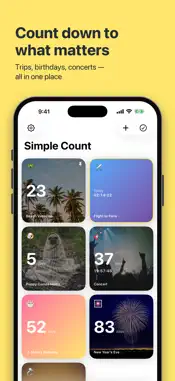
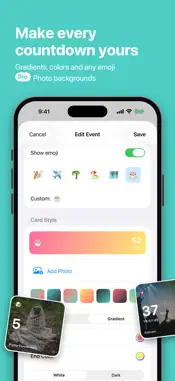
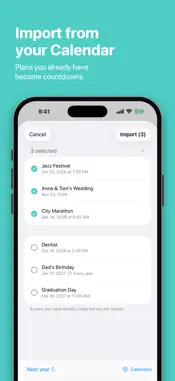
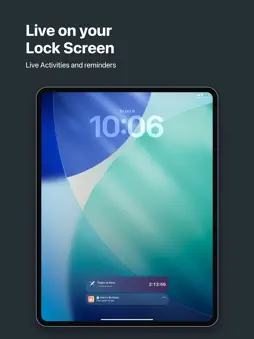
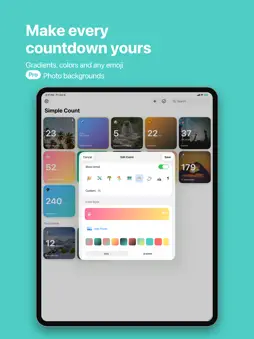
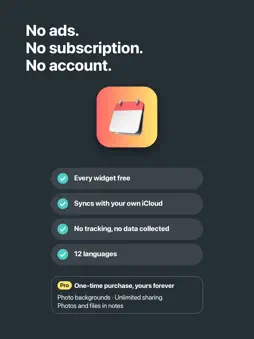
Simple Count is the easiest way to count down to the moments you're looking forward to most — vacations, birthdays, weddings, concerts, holidays, and everything in between. Every widget is free — Home Screen, Lock Screen, Dynamic Island and Apple Watch. No subscription, ever. COUNT DOWN TOGETHER Share a countdown with the people you're counting down with and it stays linked: when anyone changes the date, the photo or the note, it updates on everyone's phone, widgets included. You can also share any event as a beautifully designed card, or select several countdowns and share them all at once. Add a photo, choose an emoji, and bring your countdowns to life with beautiful widgets on your Home Screen. Every time you unlock your phone, you'll see exactly what you're excited about next. FEATURES • Every widget free — no ads, no subscription • Beautiful Home Screen widgets in multiple sizes, including a full-page widget on iOS 27 • Lock Screen widgets and Live Activities with Dynamic Island support • Apple Watch — your countdowns on your watch face, in the Smart Stack and in their own watch app • Notifications on the day of your event • Celebrate past events instead of hiding them away • Available in 12 languages, switch anytime in Settings • No account required — your countdowns stay on your device and in your own iCloud, and we never see them, even the ones you share • iPhone and iPad sync — your countdowns, notes and reminders stay the same on all your devices, and come back if you reinstall the app • Repeating events — daily, weekly, monthly, yearly, or custom patterns like "the 3rd Sunday of each month" • Countdown reminders — days, hours, or minutes before each event • Notes with sections and checklists — keep tickets, addresses and packing lists right with the countdown; shared countdowns share them too • Search — find any countdown by name, note, or emoji (use the same emoji as a tag to group events) • Siri — say "Add a countdown in Simple Count" and just tell it what's coming, or ask how many days are left • Import from Calendar — events you have already planned become countdowns, repeating ones included • Count Down Together — shared countdowns that update for everyone. Share one for free; Simple Count Pro lets you share as many as you like at once. Joining is always free. • Photo backgrounds, and photos and files in your notes — Simple Count Pro, a one-time purchase. Whether you're counting down to your dream vacation, a special celebration, or your best friend's birthday, Simple Count keeps the excitement alive every day.
What's New
Version 2.5.1 2026-11-06
Deleted a countdown by mistake? Tap Undo and it's back. You have a few seconds. Shared countdowns still ask first. On iOS 18 and later, a countdown now opens f... Technical Analysis
Package Overview Basic metadata
Bundle ID
com.caner.CountdownWidget Current Version 2.5.1
Minimum iOS 17.6
Package Size App Store Size
Package Metadata 0 / 2 version records
Detailed binary, privacy manifest, framework, and Info.plist results have not been indexed for this package yet. The verified App Store and archive metadata above remains available.
Developer Information
Known Version Records
0 version records with stored package metadata • 2 known version records
Stored metadata does not guarantee a package is currently available to download.
| Details | Version / IDs | Version date | Action |
|---|---|---|---|
| Not archived | App Store ID: 886924081 | Unknown | Request Version |
| Not archived | App Store ID: 883852785 | Unknown | Request Version |