Preview











Description
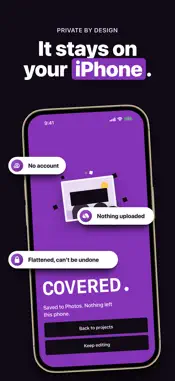
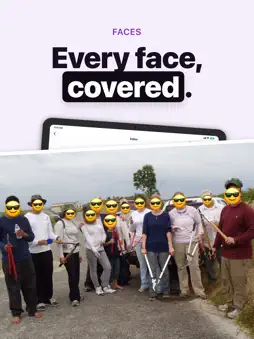
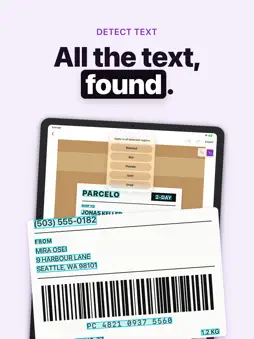
Blackout, blur, or pixelate faces and private details before you share — entirely on your device. Censor Photo is a focused redaction tool for photos and screenshots. Import an image, cover what should stay private, then export a flattened result that cannot be undone. ▸ ON-DEVICE REDACTION Your photos never leave your iPhone. No account required. No trackers. Editing stays on-device. ▸ BLACKOUT, BLUR & PIXELATE Solid blackout for maximum privacy. Soft blur for faces and screens. Pixelate (mosaic) when you want a lighter touch — all available while you edit. ▸ FACE DETECTION Detect faces on-device so you can review what needs covering before you export. ▸ SHARE SHEET, SIRI & SHORTCUTS Save photos to Censor Photo right from the share sheet and they wait as projects, ready to redact. Or start from Siri and Shortcuts. Your photos stay on your iPhone. ▸ MADE FOR IPHONE DUO Your projects sit beside the editor, the canvas gets bigger, and your place is kept when you fold or unfold. ▸ ACCESSIBLE, AND YOURS VoiceOver and Voice Control can redact, place stickers and move through the editor. Choose your app icon in Settings: Blackout, Classic, Pixelate or Frosted. ▸ TRY FREE Get 3 free exports per week — watermarked and capped at 1600px on the long edge — so you can finish a real redact-and-share job without paying first. ▸ PRO UNLOCKS CLEAN OUTPUT Unlimited full-resolution exports with no watermark, plus EXIF and GPS wipe on every save. Choose monthly, annual, or lifetime Pro. ▸ MORE IN PRO Multi-page PDF and document scan. Batch up to 10 photos in one pass. Emoji sticker covers and the Swirl tool. Any brush size, any effect intensity, and a longer undo history. One-tap text detection. Back up your projects and restore them on a new iPhone. ▸ OPTIONAL TIP JAR Like the app? Tip the team with a pizza. Tips unlock nothing — pure support. Built for privacy-conscious sharing of screenshots, chats, IDs, and everyday photos. No account. No tracking. Have feedback? Reach us at [email protected] Privacy Policy: https://canbi.notion.site/Privacy-Policy-39d6cac95bdb807c926ff58eb9c453d4 Terms of Use (EULA): https://canbi.notion.site/Terms-of-Service-39d6cac95bdb80979e91f13ccdef4df6
What's New
Version 2.1.0 2026-11-11
New • Made for iPhone Duo: your projects sit beside the editor, and your place is kept as you fold. • Pick your app icon: a new Blackout look, plus Classic, Pix...New • Made for iPhone Duo: your projects sit beside the editor, and your place is kept as you fold. • Pick your app icon: a new Blackout look, plus Classic, Pixelate and Frosted, right in Settings. • Save photos from the share sheet without leaving it. Tap Save to Censor Photo and you’re done. • VoiceOver and Voice Control can now redact, place stickers and move through the editor. Improved • A Done button sits above the keyboard, and the welcome fits short screens. Fixed • An interrupted backup restore now recovers on its own, so the app always opens. Have feedback? Write to [email protected] Technical Analysis
Package Overview Basic metadata
Bundle ID
com.bican.censorphoto Current Version 2.1.0
Minimum iOS 18.0
Package Size App Store Size
Package Metadata 0 / 0 version records
Detailed binary, privacy manifest, framework, and Info.plist results have not been indexed for this package yet. The verified App Store and archive metadata above remains available.
Developer Information
Known Version Records
0 version records with stored package metadata
Stored metadata does not guarantee a package is currently available to download.
| Details | Version / IDs | Version date | Action |
|---|