Preview


Description
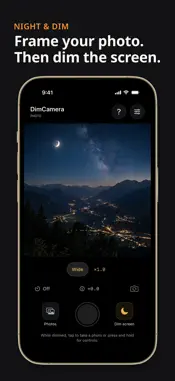
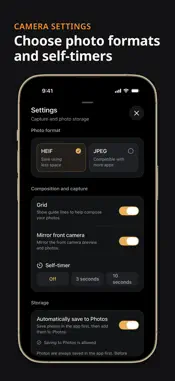
DimCamera lets you take photos with a black screen and reduced display brightness. Use it when a bright camera screen feels distracting or casts unwanted light around you. HOW TO TAKE A PHOTO 1. Frame your shot in the preview. 2. Tap "Dim screen" to turn the shooting screen black. 3. Tap the black screen or press and release a volume button to take a photo. Press and hold the screen to open the dim control panel. From there, you can return to the preview. PHOTO FEATURES - Front and rear camera switching - Zoom, tap to focus, and exposure compensation - 3-second and 10-second self-timers - Composition grid - HEIF or JPEG capture - Haptic feedback when a photo is saved The flash stays off. SAVE AND SHARE Photos are saved in the app first. You can also add them to Photos automatically or manually, and share them. Deleting the app removes any photos stored only inside it. NO ADS OR IN-APP PURCHASES No ads or subscriptions. No account required. Take and view photos offline. Photos are not sent to the developer's servers. SUPPORTED USE DimCamera takes still photos. Video recording and night mode are not supported. The black screen is part of the app. Keep DimCamera open to shoot; it cannot take photos while your iPhone is locked or while you use another app. Silent capture is not guaranteed. Shutter sounds depend on your iPhone, region, and iOS.
Technical Analysis
Package Overview Basic metadata
Bundle ID
jp.co.caen.dimcamera Current Version 1.0.0
Minimum iOS 18.0
Package Size App Store Size
Package Metadata 0 / 0 version records
Detailed binary, privacy manifest, framework, and Info.plist results have not been indexed for this package yet. The verified App Store and archive metadata above remains available.
Known Version Records
0 version records with stored package metadata
Stored metadata does not guarantee a package is currently available to download.
| Details | Version / IDs | Version date | Action |
|---|