Preview


Description
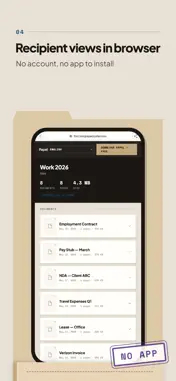
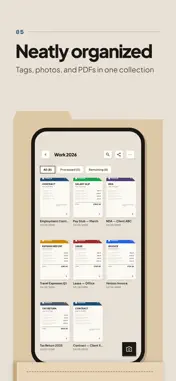
Receipts, contracts, prescriptions — kept in collections where you'll find them later. Send a collection as a link: the recipient needs no app and no account. WHAT PAPEL DOES — Fast scanning — Edge detection, multi-page. Straight from the camera into a collection. — Collections your way — Organize by month, client, project. Your logic, your structure. — Color tags — Tag collections and filter with one tap. Especially handy for invoicing. — Search — Find a document by its name, note or the text recognized from it, across all collections. — Document bundle — Every document as its own PDF plus a CSV summary, together in one ZIP. Before sending, you see the document count, missing amounts and totals for each currency. — Move and copy — Move or copy a document to another collection, along with its text and manual edits. — Fill in details with AI — On request, it suggests the name, date, amount and currency from the document's recognized text. Only what you confirm is saved. — Share via link — Generate a link and send it to anyone. Your accountant, partner, insurer — they don't need any app. — Web viewer — The recipient opens it in the browser. They download single documents or the whole ZIP. — Close & archive — Close a collection once it's done and it moves to the archive. Anyone who opened it in the Papel app gets a notification. — PDF import — Add existing PDFs from email or Files in a few taps. PRIVACY — No account needed — Scan and sort right away, no sign-up. Your documents stay on your phone. — Text is recognized right on your phone. Content goes to a server only for backup and sharing with Papel Plus, and when you ask AI to fill in details. Then Papel sends the document's recognized text, not the photo, through its server to the AI provider. — Email login with a one-time code — no password to remember. — No third-party tracking. No ads. No personal analytics. FREE AND PAPEL PLUS Scanning and organizing are free, with no account and no limits. Papel Plus adds cloud backup and sharing. Free: — Unlimited documents, collections and tags — Scanning, PDF import and export — Fill in details with AI: two uses once signed in, more with Papel Plus Papel Plus: — Cloud backup and access from your other devices — Share collections via link — Links valid for 7, 30 or 90 days, optional password — When you close a collection, only recipients who opened it in the Papel app get notified — Monthly, yearly or a one-time lifetime purchase Privacy Policy: https://1tnt.link/papel/privacy.html Terms of Use (EULA): https://1tnt.link/papel/eula.html
What's New
Version 1.5.0 2026-10-30
What's new in 1.5 Document bundle. Sharing a collection now offers “Document bundle (PDF + CSV)”. Before it is created, you see the document count, missing amo... Technical Analysis
Package Overview Basic metadata
Bundle ID
link.1tnt.papel Current Version 1.5.0
Minimum iOS 15.5
Package Size App Store Size
Package Metadata 0 / 8 version records
Detailed binary, privacy manifest, framework, and Info.plist results have not been indexed for this package yet. The verified App Store and archive metadata above remains available.
Developer Information
Known Version Records
0 version records with stored package metadata • 8 known version records
Stored metadata does not guarantee a package is currently available to download.
| Details | Version / IDs | Version date | Action |
|---|---|---|---|
| Not archived | App Store ID: 889179933 | Unknown | Request Version |
| Not archived | App Store ID: 887652287 | Unknown | Request Version |
| Not archived | App Store ID: 886178062 | Unknown | Request Version |
| Not archived | App Store ID: 885930503 | Unknown | Request Version |
| Not archived | App Store ID: 885189541 | Unknown | Request Version |
| Not archived | App Store ID: 885048824 | Unknown | Request Version |
| Not archived | App Store ID: 884781490 | Unknown | Request Version |
| Not archived | App Store ID: 884383536 | Unknown | Request Version |