
Preview



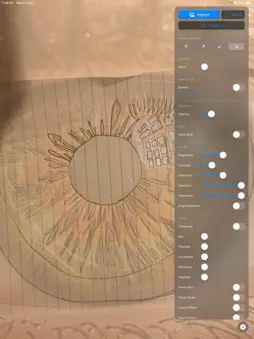
Description
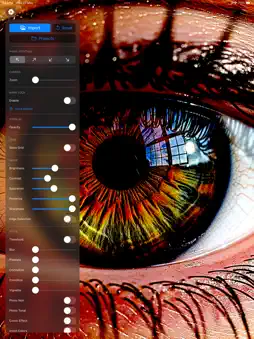
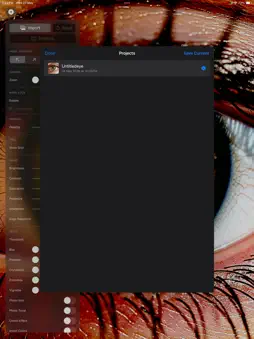
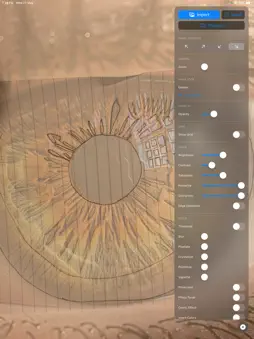
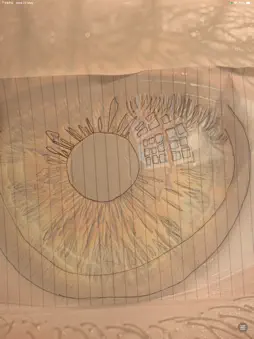
Trace anything onto paper. Traceur gives you a complete tracing studio on your iPad or iPhone — adjust your reference image, then choose how you want to work. Two ways to trace • Tracing paper over the screen — lay tracing paper directly on your device, push the reference to full opacity, and trace what's right under your hand. Works flat on a desk. • Camera overlay — mount the iPad above your drawing surface in a stand. The live camera shows your paper; the reference floats over it at any opacity you choose. Draw on the paper while watching the screen. Tune the reference in real time with brightness, contrast, saturation, and sharpness sliders. Apply artistic styles like threshold, edge detection, posterize, comic effect, or invert to break a complex image down to the lines and shapes that matter. Drop a rule-of-thirds grid over the view to nail proportions. Save complete projects — image plus every setting — so you can return to a piece exactly where you left it. Built for graphite, ink, marker, watercolor, gouache — any medium where seeing the reference live unlocks faster, more accurate work. Features • Live camera view with adjustable overlay opacity • Pan, pinch, and rotate to position the reference exactly • Brightness, contrast, saturation, sharpness sliders • Threshold, posterize, comic effect, color invert, photo styles • Edge detection, Gaussian blur, pixelate, vignette • Configurable rule-of-thirds grid — divisions, color, screen-locked or image-locked • Adjustable camera zoom • Floating control panel that drops into any corner • Tap to hide controls — nothing in your way while you draw • Projects: save and restore complete sessions with thumbnails • Mark Lock: print a small reference marker, place it on your paper, and the overlay tracks the marker so the iPad can shift without losing alignment Privacy Traceur runs entirely on-device. No accounts, no cloud, no analytics, no third-party SDKs. Camera frames are processed locally and never recorded. Imported images stay in the app's private sandbox.
What's New
Version 1.5 2026-07-02
iPhone support. I don't have an iPhone, so have tested in the simulator as best I can. Let me know if you have any issues. Technical Analysis
Package Overview Basic metadata
Bundle ID
brock.TraceIt Current Version 1.5
Minimum iOS 17.6
Package Size App Store Size
Package Metadata 0 / 5 version records
Detailed binary, privacy manifest, framework, and Info.plist results have not been indexed for this package yet. The verified App Store and archive metadata above remains available.
Price History (USA store)
2 recorded price change points. These are historical observations, not a guarantee of the current price.
| Recorded at | Price | Currency |
|---|---|---|
| 5.99 | USD | |
| 0.0 | USD |
Developer Information
Known Version Records
0 version records with stored package metadata • 5 known version records
Stored metadata does not guarantee a package is currently available to download.
| Details | Version / IDs | Version date | Action |
|---|---|---|---|
| Not archived | App Store ID: 887632394 | Unknown | Request Version |
| Not archived | App Store ID: 887220016 | Unknown | Request Version |
| Not archived | App Store ID: 887135787 | Unknown | Request Version |
| Not archived | App Store ID: 886669734 | Unknown | Request Version |
| Not archived | App Store ID: 886425486 | Unknown | Request Version |