
Preview








Description
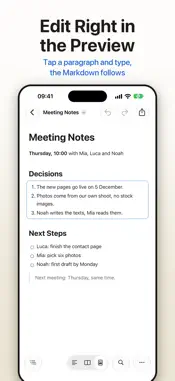
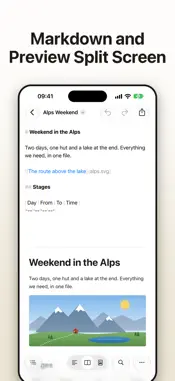
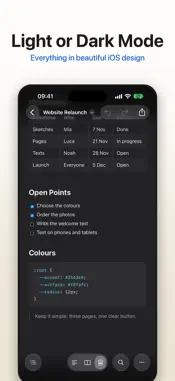
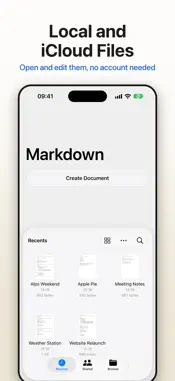
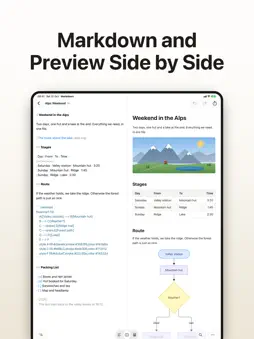
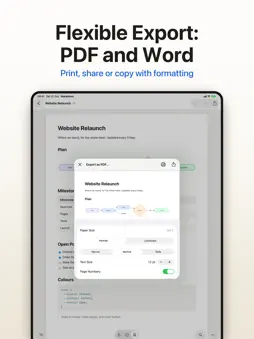
Read, write and share Markdown on iPhone and iPad: as raw text, split or as the finished page. Markdown Edit opens your .md files from iCloud Drive, from the iPhone itself or from other providers. In the finished page you tap into a paragraph and type; only the changed block goes back into the file, the rest stays the same character for character. THREE VIEWS • Raw text with syntax colours for Markdown and for code in Swift, Python, JavaScript, Go, Rust, SQL, Shell, JSON, YAML, CSS, HTML and more • Split: Markdown above and the preview below on the iPhone, side by side on the iPad, scrolling together • The finished page: tables across the full width, task lists to tick, callouts in the style of GitHub, images and diagrams • Light or dark, or like the system DIAGRAMS WITH MERMAID • Tap a node and change it with large Liquid Glass buttons: seven shapes, eight colours • Tap a connection for its line and arrow, tap the diagram for curved, straight or right-angled lines and its direction • Add a node, connect two, rename, delete, all without code • Other kinds of diagram as source text FIND YOUR WAY • Contents: every heading of the document, one tap jumps there • Find, with every match marked • Raw text in the font and size you like PASSING IT ON • PDF with a preview: paper size, orientation, margins, font size, page numbers, each chapter on a new page • A Word document with headings, tables, lists, links, images and diagrams • Print, share, copy formatted for Mail, as plain text or as Markdown IMAGES • Insert a picture from Photos or Files: it is stored in a folder next to your document and linked relatively • Pictures next to the document and from the internet appear on the page YOUR FILES STAY YOURS • The document browser of iOS with iCloud Drive, On My iPhone and other providers • On the first start a welcome document shows everything on one page • No account, no tracking, no ads: your documents stay where you keep them ALSO ON THE MAC Markdown Edit is also on the Mac, with tabs like a browser, a sidebar and Quick Look in the Finder. One purchase for iPhone, iPad and Mac, and a file in iCloud Drive is the same file on every device.
Technical Analysis
Package Overview Basic metadata
Bundle ID
com.ceccato.mdviewer Current Version 1.0
Minimum iOS 26.0
Package Size App Store Size
Package Metadata 0 / 0 version records
Detailed binary, privacy manifest, framework, and Info.plist results have not been indexed for this package yet. The verified App Store and archive metadata above remains available.
Developer Information
Known Version Records
0 version records with stored package metadata
Stored metadata does not guarantee a package is currently available to download.
| Details | Version / IDs | Version date | Action |
|---|